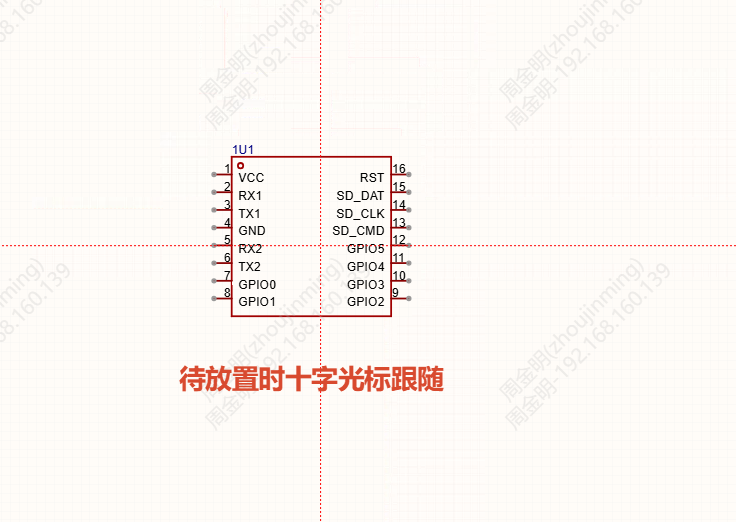
Symbol
You can place a symbol directly from the bottom symbol library onto the schematic without creating a device first. You can also associate a device with a symbol and place them together.
Entrance
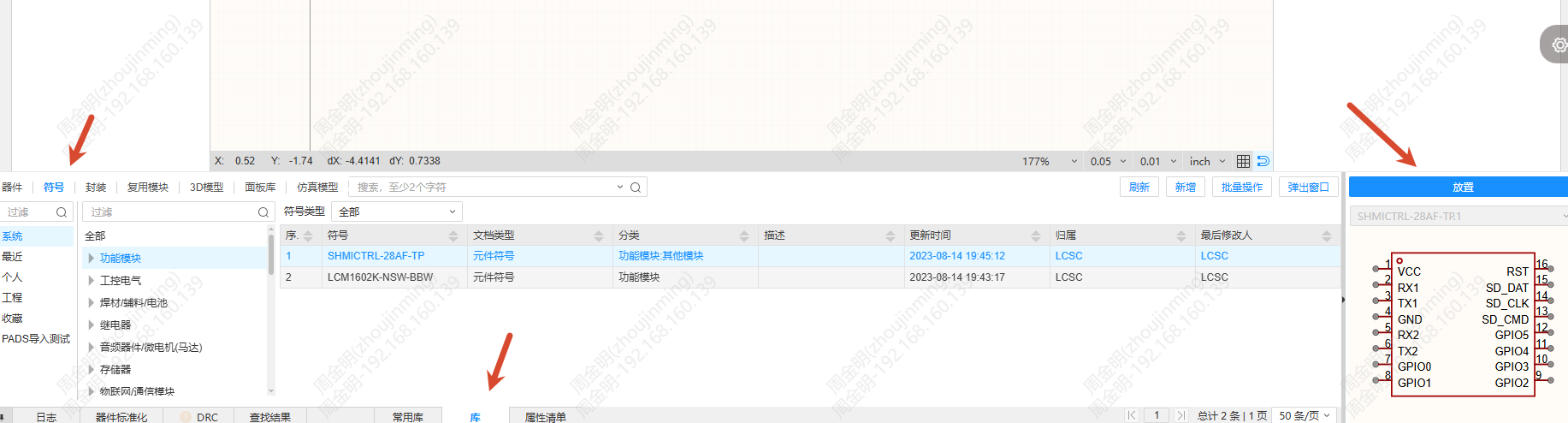
Bottom panel - Library - Symbol. The Place Symbol and Place Device buttons are displayed above the preview window on the right.
Note: When a drawing symbol is selected, the Place Symbol function is unavailable.
Procedure
Place a symbol
- Select a symbol in the symbol library.
- Click Place Symbol. The bottom panel collapses and the editor enters the symbol pending placement state.
- Click on the canvas to place it; the operation is the same as placing a device.
During placement, you can press the TAB key to open the settings dialog. When placing a symbol, the editor likewise determines whether it needs to be added to the project library or updated.