

Check DRC
The symbol editor now provides a design rule check function. It can check for problems such as missing pin numbers, pins offset from the grid, duplicate pin numbers, and overlapping pins, and outputs a check log.
Entrance
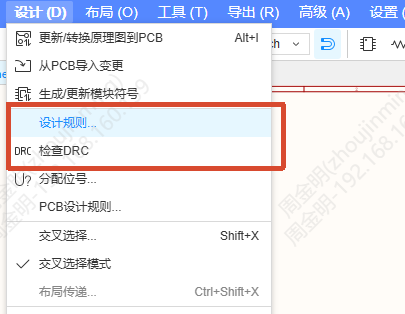
- Symbol editor top menu - Design - Design Rule / Check DRC
- Symbol editor bottom panel - DRC tab
The rules apply only to symbols of the component symbol type.
Procedure
- Open or draw a symbol in the symbol editor.
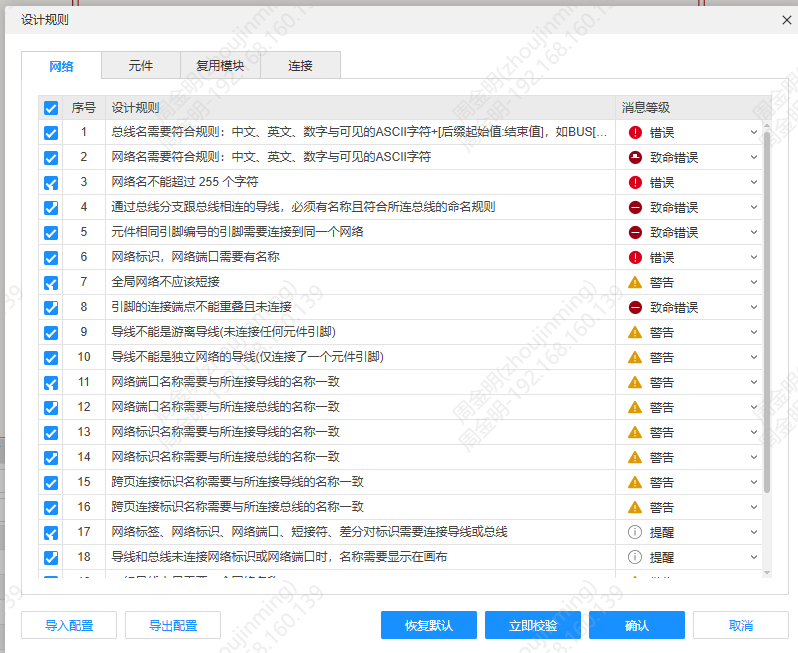
- Open the Design Rule dialog and set the rule items to be checked.
- Click Check DRC, and the system performs the check according to the configured rules.
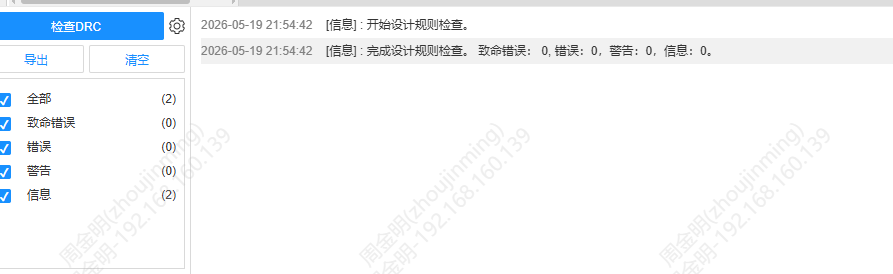
- View the check log in the DRC panel at the bottom.
When the DRC check reports errors, the symbol can still be saved; the original save logic is not affected.