3D Body
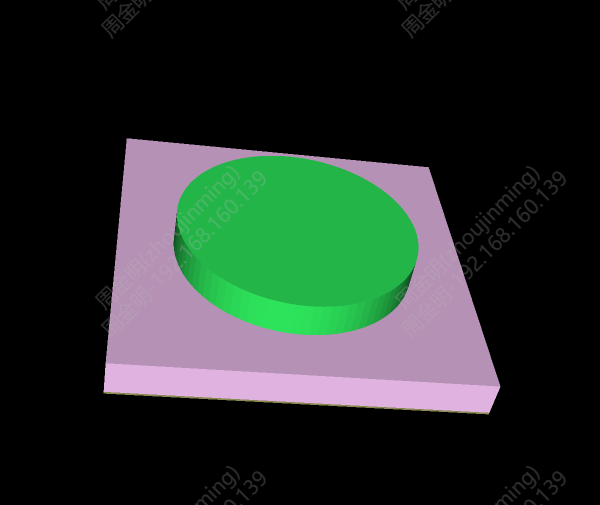
A 3D Body primitive is added to the PCB and footprint editors, allowing a simple 3D model to be created by drawing an outline and stretching it.
Entry
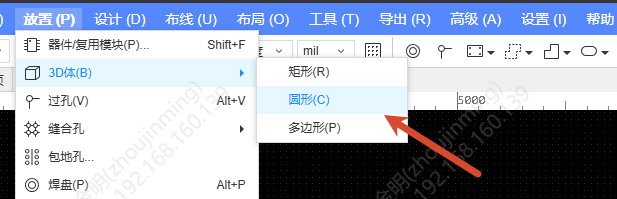
Top Menu - Place - 3D Body - Rectangle / Circle / Polygon, etc.
Steps
- After choosing a 3D Body shape you enter drawing mode; draw the outline on the canvas, and the interaction is the same as for other primitives
- When drawing is finished it is selected automatically, and you remain in drawing mode waiting for the next start point
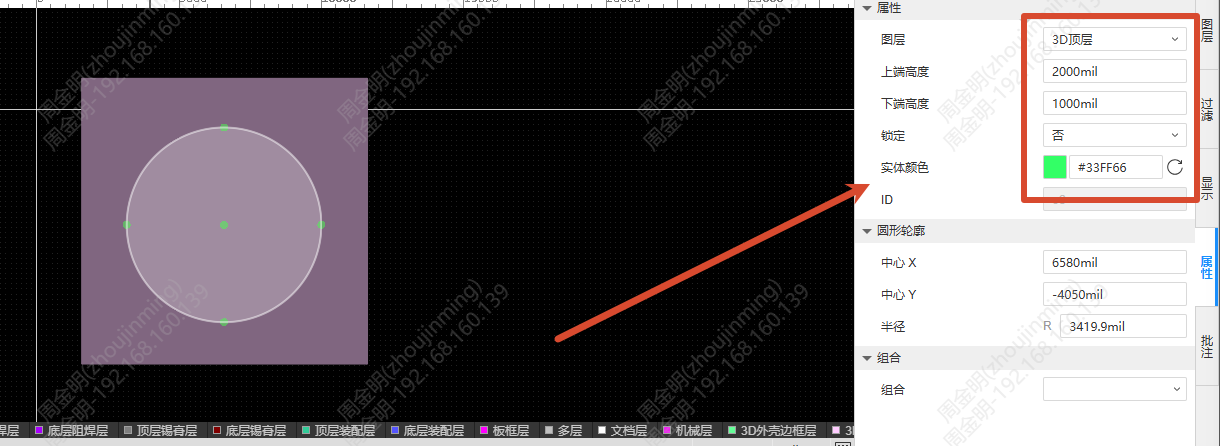
- Set the following parameters in the right properties panel:
- Layer: 3D Top Layer or 3D Bottom Layer
- Override Height: the highest height above the datum plane; 2mm by default, limited to ≥0
- Standoff Height: the lowest height below the datum plane; 0 by default, and negative values can be entered. Standoff Height must be ≤ Override Height; the two are swapped automatically when the field loses focus
- Entity Colour: can be customized
Related Adjustments
- The layer names "3D Shell Top/Bottom Layer" are changed to "3D Top/Bottom Layer"
- Display Color, the Filter panel, Find, the left tree and the Delete Objects dialog all add support for the 3D Body primitive
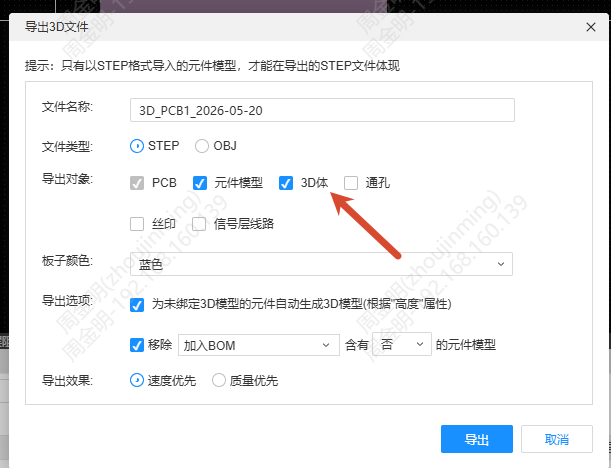
- Export 3D File adds a 3D Body checkbox, which is checked by default. The 3D Shell file does not contain 3D bodies