

xSignals
The xSignals (logical equal length of signals) feature combines multiple nets across components into one logical signal, calculates the total length and applies it to the equal length design rules, meeting the multi-net equal length requirement in series resistor scenarios.
Entry
- Top Menu - Design - xSignals - Create xSignals / Create by Components / Create by Pads
- Canvas right-click menu - xSignals
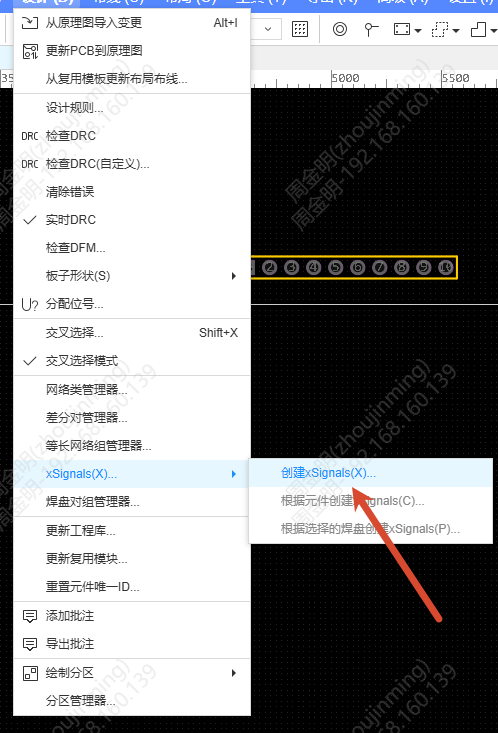
Steps
Create xSignals
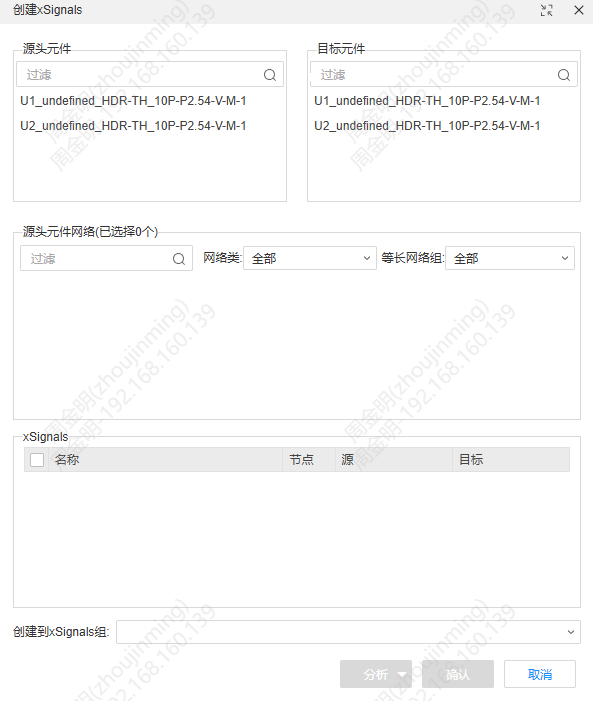
- The Create xSignals dialog opens; select the Source Components and Target Components
- Select the nets to include from the source component nets
- Click Analysis, and the system calculates the paths automatically according to the analysis method. There are four analysis methods: Direct Connections, Through 1 Component, Through 2 Components, Through Multiple Components
- The analysis results are listed in the xSignals table; click a row to preview it on the canvas, then check the rows you want and confirm to add them to the xSignals group
Create by components/pads
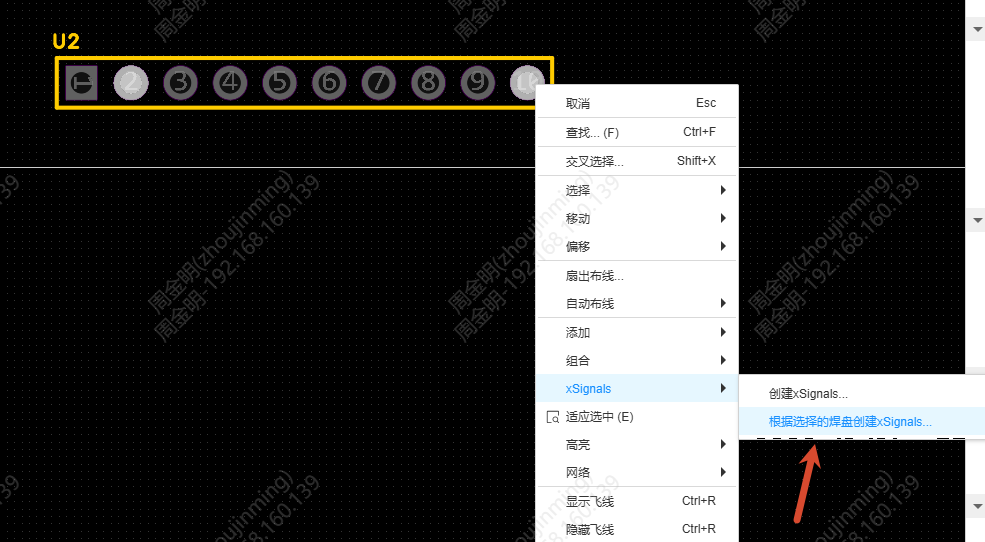
- Create by Components: after selecting components, the source and target components are filled in automatically; the dialog opens for you to continue
- Create by Pads: after selecting two or more pads, xSignals are generated directly; confirm to add them to the group
Left Tree
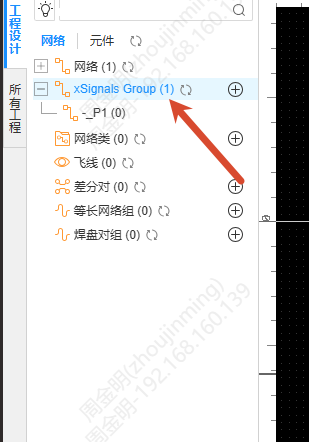
An xSignals tree is added to the left net tree, showing the xSignals groups and the signals inside each group, with the real-time length shown on every node. The right-click menu supports Rename, Delete and other operations.
Design Rules
Both the Net Length Range and Net Length Tolerance rules in Design Rules support xSignals groups. A rule on an xSignals group is applied to every xSignal in the group, and during DRC any xSignal that does not meet the rule is listed in the results and marked in red.