

English
Placement Transfer
The schematic diagram and PCB under the same board can use this layout transfer to layout the components selected on the current drawing page and transfer them to the PCB, which is convenient to quickly gather the required components and quickly layout and route.
Entry: Top Menu - Design - Placement Transfer. Or Component Context Menu - Placement Transfer. Shortcut CTRL + SHIFT + X.
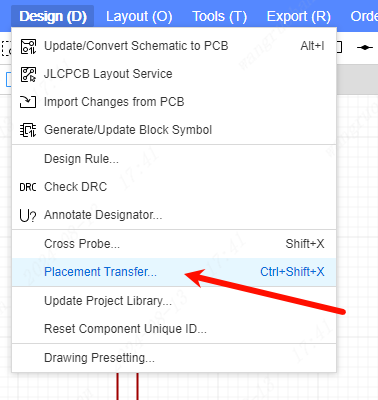
After selecting multiple components in the schematic, click "Placement Transfer", it will automatically switch to the PCB, and according to the unique ID of the component in the schematic, highlight and select the PCB component corresponding to the same unique ID and hover over the mouse, waiting to be placed.