

Primitive Parameter Preset
When placing primitives in the schematic or symbol editor, press the TAB key to open a settings dialog and preset the primitive parameters; after you confirm, the primitive is drawn with the modified parameters, reducing manual adjustment after placement.
Feature Entry
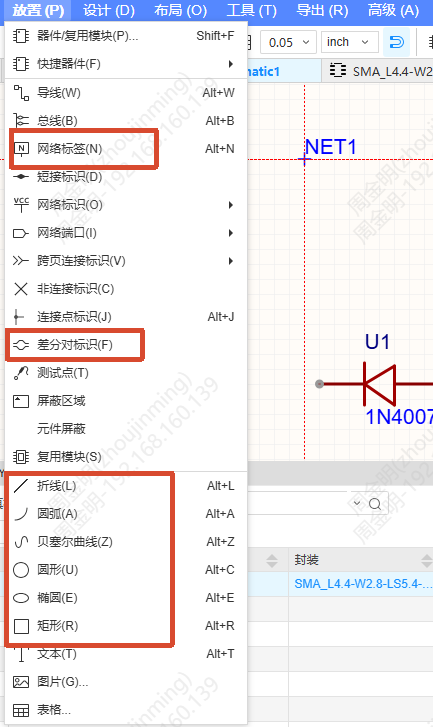
In the schematic editor or the symbol editor, press the TAB key when placing the following primitives:
Electrical primitives
- Place - Net Label
- Place - Differential Pairs Flag
Non-electrical primitives
- Place - Rectangle / Polyline / Circle / Ellipse / Arc / Bezier
Steps
- Press the TAB key while placing a primitive to open the settings dialog
- Modify the primitive parameters in the dialog
- Click OK to finish drawing with the modified parameters
Property Rules
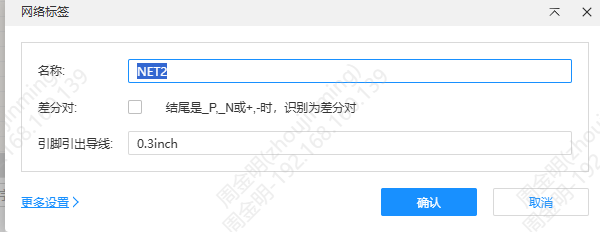
Net Label
Dialog properties: Name, Differential Pair, Lead Wire From Pin, Font Color, Font, Font Size, Style, Origin.
During continuous placement, the above property settings are remembered and stay in effect, and are cleared when continuous placement ends. The Name property supports auto-increment during continuous placement.
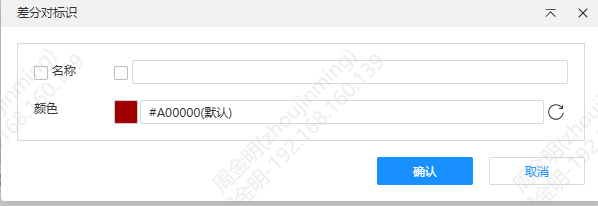
Differential Pairs Flag
Dialog properties: Name, Color.
During continuous placement, the property settings are remembered and stay in effect, and are cleared when continuous placement ends.
Rectangle, Polyline, Circle, Ellipse, Arc, Bezier
Common dialog properties: Line Width, Line Style, Stroke Color, Fill Color, Fill.
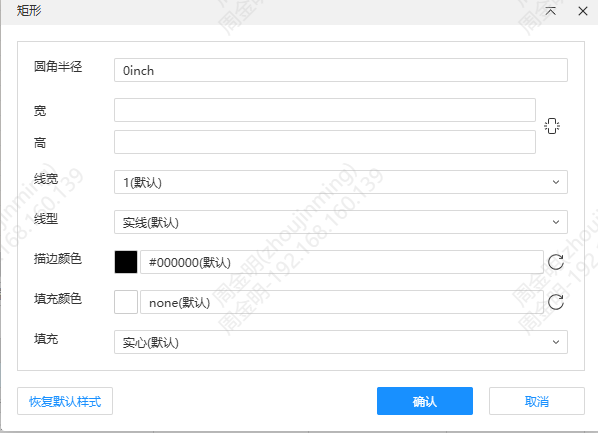
Special properties of each primitive:
| Primitive | Special properties |
|---|---|
| Polyline | Start Shape, End Shape |
| Rectangle | Corner Radius, Width, Height |
| Circle | Radius |
| Ellipse | X Radius, Y Radius |
| Arc | — |
| Bezier | — |
During continuous placement, the property settings are remembered and stay in effect, and are cleared when continuous placement ends.