

BOM Preview and Price Calculation
You can preview the BOM before exporting it, with the unit price and the total price displayed. Set Number, splitting by the maximum single-line quantity limit, and real-time price and stock retrieval are all supported. Both the schematic and the PCB are supported.
Feature Entry
- Top Menu - Export - Export BOM
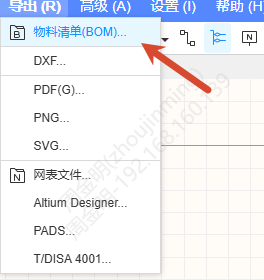
- The Export BOM button in the Device Standardization panel and in the BOM Preview panel
BOM Preview
A BOM Preview button is added to the right of the Device Standardization button. Click it to open the BOM Preview tab at the bottom.
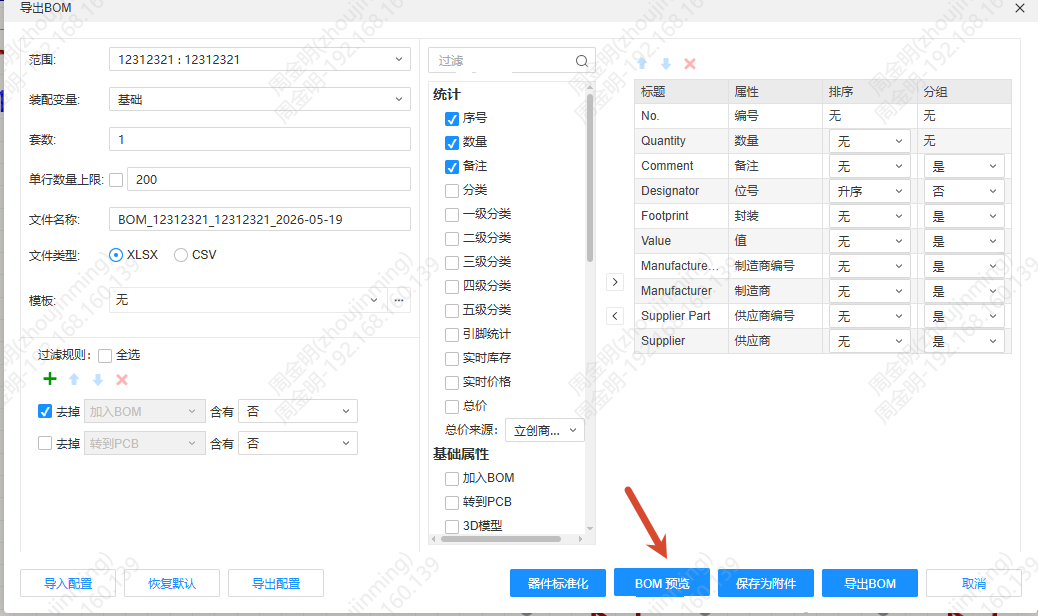
BOM Preview is a simplified version of Device Standardization; the list shows the export result according to the BOM settings:
- Supports searching the list content, highlighting the matched text, and showing the number of matches and the current index, which you can switch between to locate a match
- Shows a settings button; click it to open the Export BOM dialog
- The Assembly Variants setting is shown before the search box
- Clicking Export BOM exports the file directly; the button permission is controlled by the export permission

Total Price Property
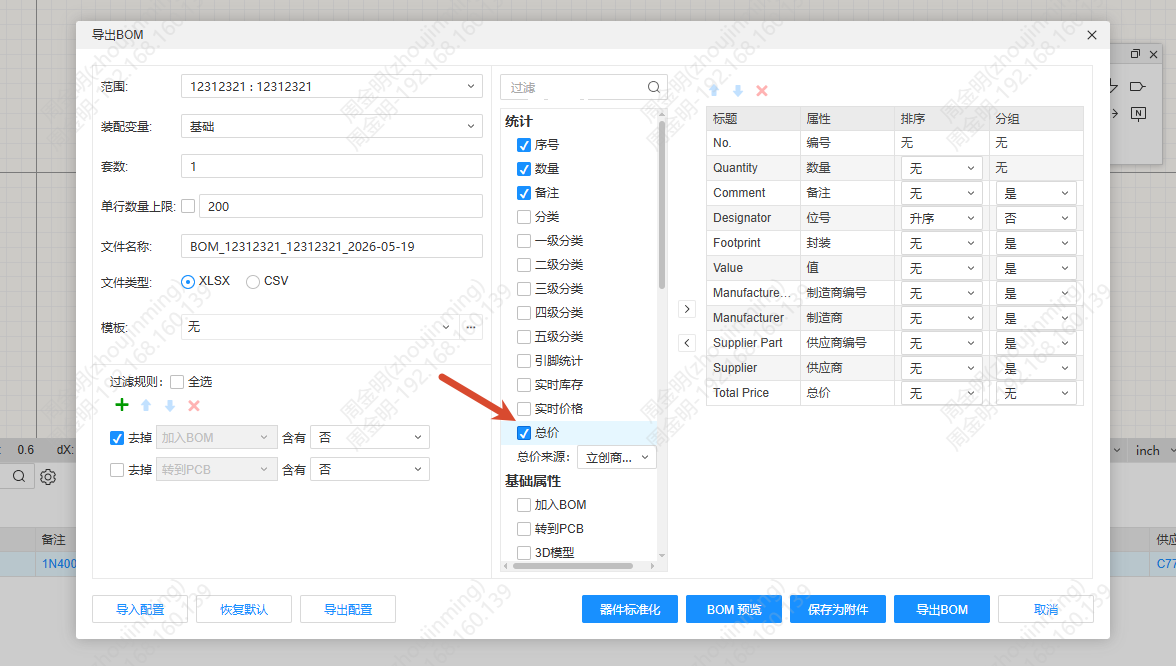
A Total Price property is added at the end of the statistics type properties. When Total Price is checked and the corresponding Unit Price and Quantity columns are also checked:
- CSV format: the cell holds the calculated value, and the sum is displayed below the last row
- xlsx format: the cell formula is
={Unit Price Column}*{Quantity Column}*{Set Number}, and the formula below the last row is=sum(column2:columnEnd)
Total Price Source drop-down options: LCSC Price (default), JLCPCB Price, Price, Real-time Price. The private deployment version does not show the Real-time Price option.
Set Number and Maximum Single-line Quantity Limit
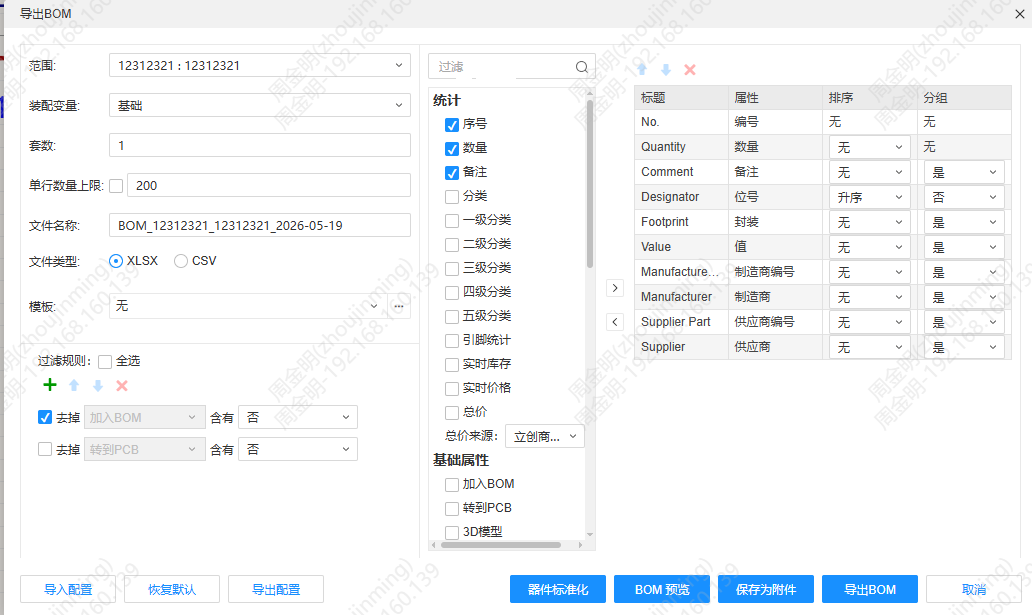
- Set Number: added below Assembly Variants; the default is 1, only positive integers can be entered, and while it has focus you can adjust it with the arrows, the up/down keys, or the mouse wheel
- Maximum single-line quantity limit: added below Set Number; unchecked by default, with a default value of 200. When checked, rows whose quantity on the same row exceeds the limit are split into multiple rows on export, each row showing at most the limit quantity; rows in the same group stay consecutive, and the BOM Preview is split in the same way
Real-time Price and Stock
Real-time Price supports tiered pricing, matching the corresponding tier according to "quantity × Set Number". Real-time Price and Stock are retrieved through the interface configured on the management side.