Find
Find components, properties, names, etc. in the PCB interface. The search format can use wildcards and expressions to search.
- Use wildcards. When checked, all text input boxes support wildcards
*?. For example, to search for tags:BAT?orBAT*, you can search for all tags starting with BTA.*can be used in place of zero, one or more characters, while?can only be used in place of one character. - Case sensitive. Search by case. For example query:
max232andMAX232are two different search terms. - Use expressions. Supports inputting regular expressions in the text input box for character matching. For example, search:
/u/, you can find all attributes with u. Please check the usage of specific regular expressions: https://www.w3school.com.cn/js/js_regexp.asp
How to find:
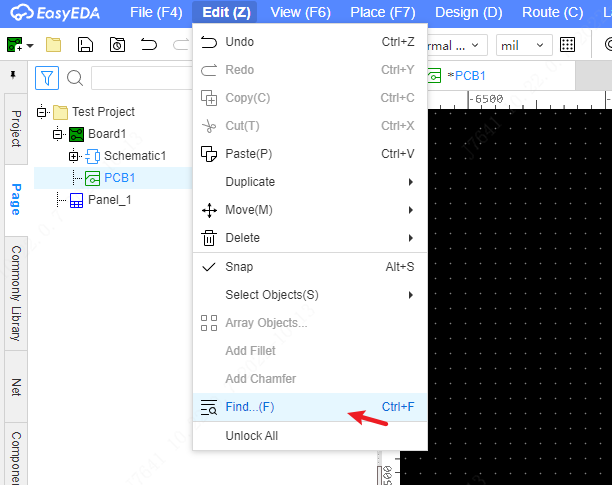
- Top Menu - Edit - Find or Shortcut Ctrl + F
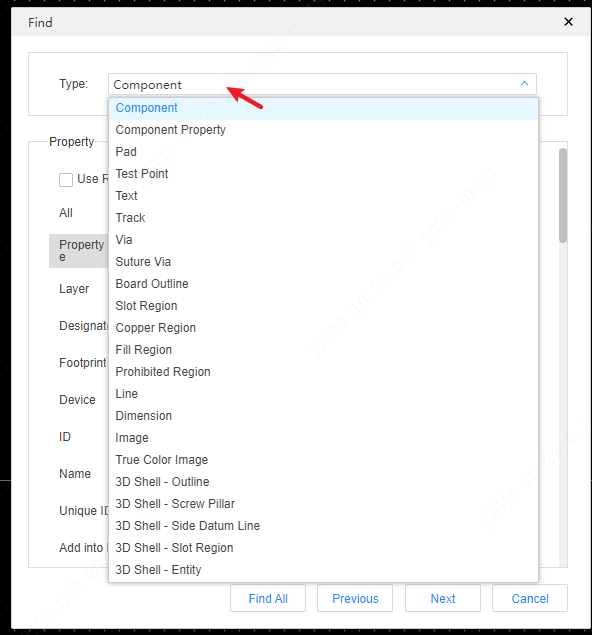
Select the object type you want to find
Set the property value
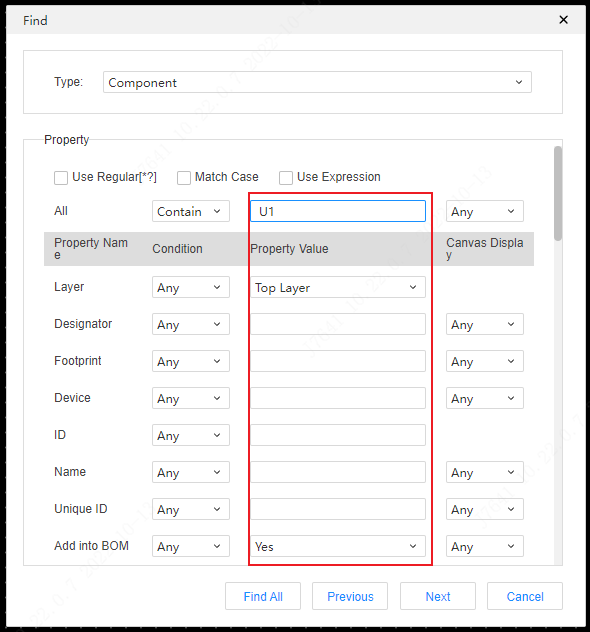
Click the Find All button, you will get all results at bottom Find Result tab
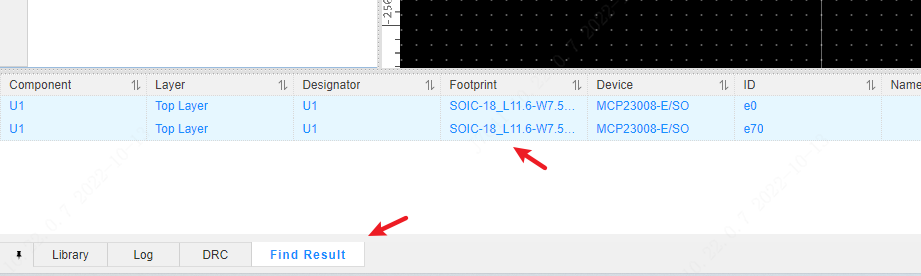
you can click the list to locate the object.
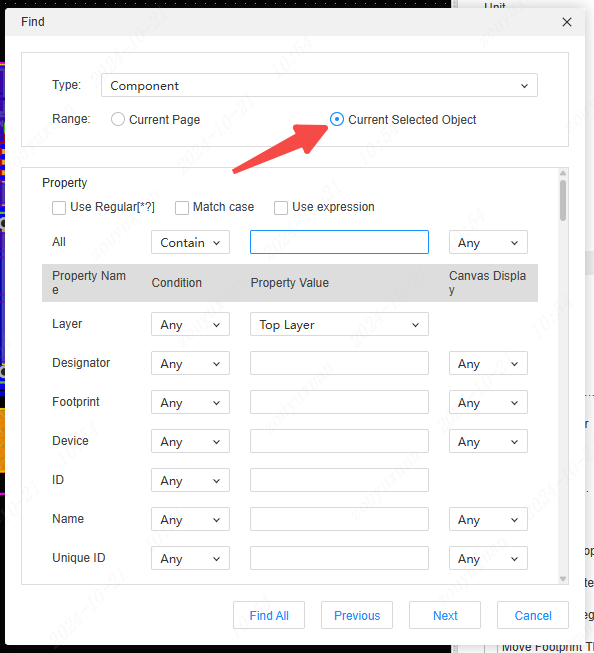
The search scope can be chosen as "Currently Selected Objects" for further content filtering.