Update PCB to Schematic
Under normal circumstances, the PCB design needs to complete the schematic first, and to import the update function of PCB or PCB through the schematic diagram of the schematic diagram to introduce the latest network table into the PCB.After the PCB layout wiring is completed, if the reset number is required according to the PCB layout information, or the device is replaced by a component, you can first complete this type of operation in the PCB and then update it to the schematic diagram.Methods can improve work efficiency.
Steps:
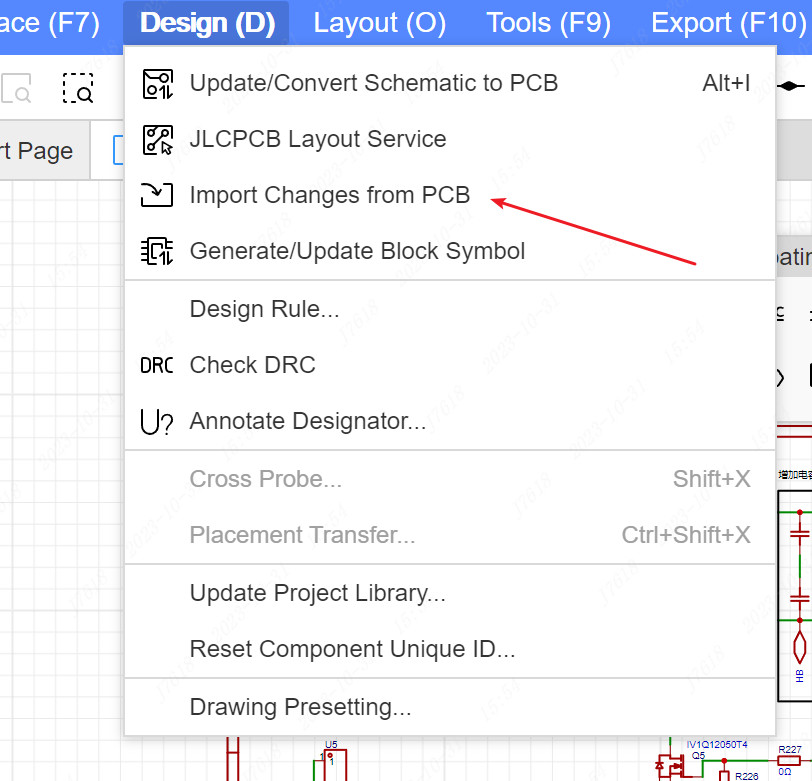
In the schematic diagram, the top menu -design -import change from PCB
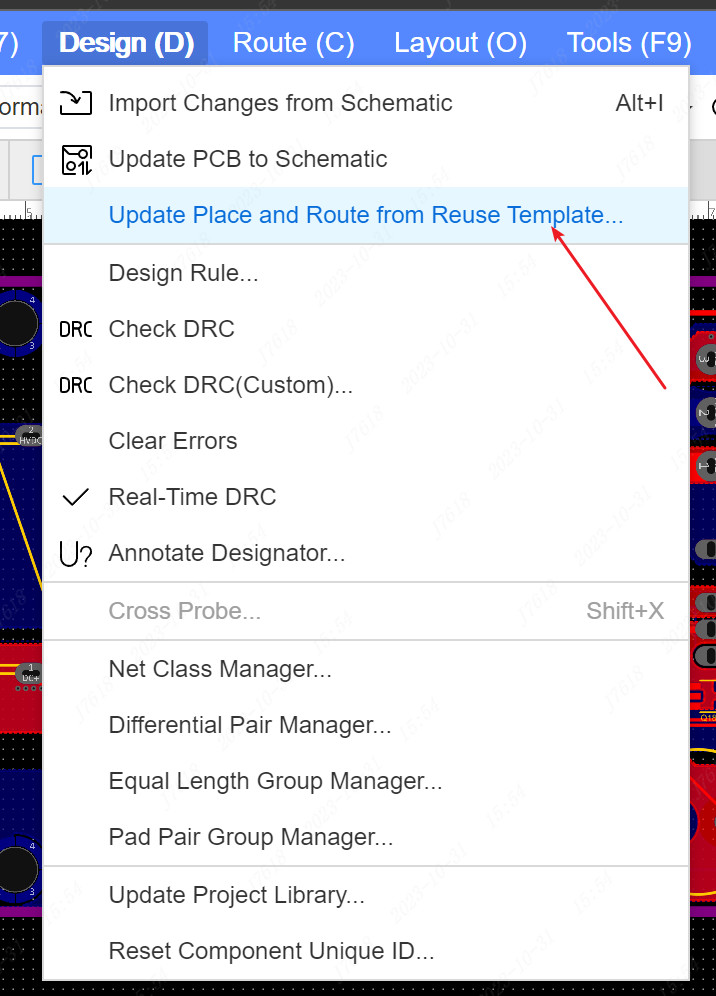
In PCB, the top menu -design -update PCB to schematic diagram
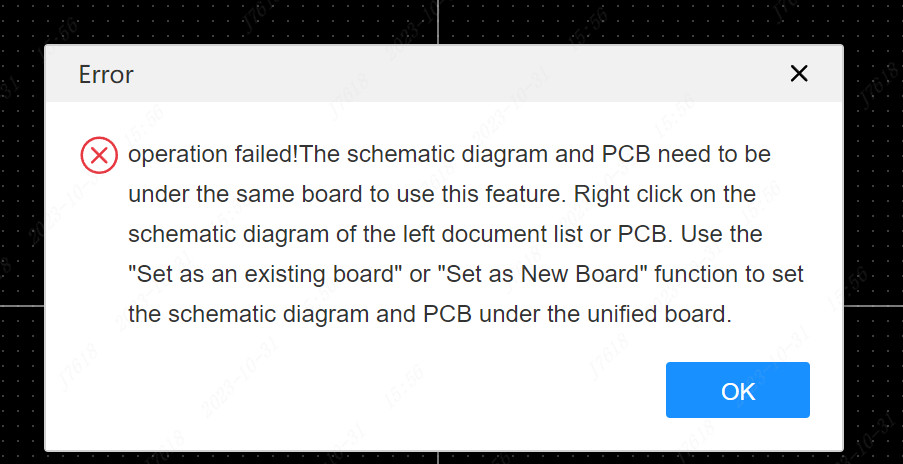
Notice:Update PCB to schematic diagram needs to be guaranteed that they are under the same board, otherwise they will not be able to turn to each other
Check the netlist difference
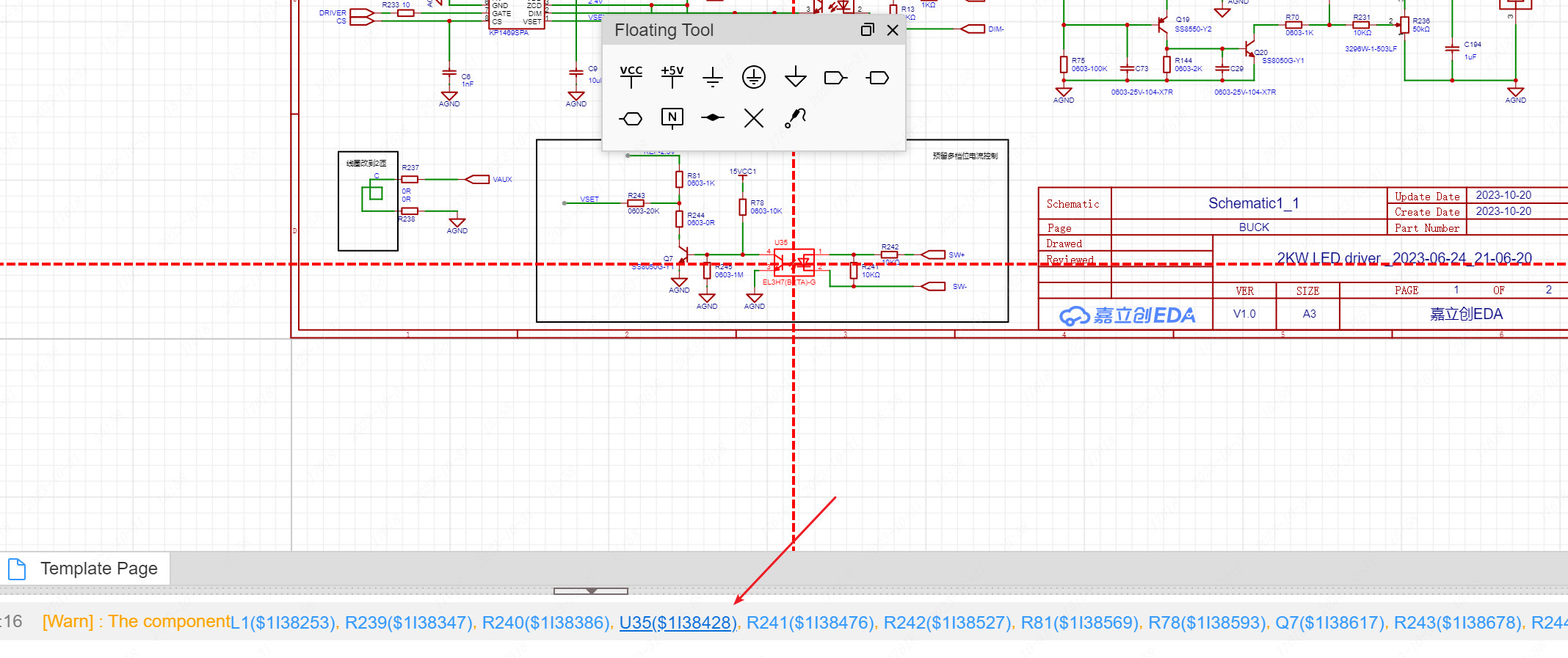
The PCB transferred map only supports the modification of the component attributes (such as modifying the component's device, bit number information), involving the addition and deletion of the component, and the modification of the network will not be transferred to the schematic diagram.At this time, relevant prompt information will appear in the center of the log and canvas.

You can click the component in the log to locate the specific location of the principle diagram, view and modify
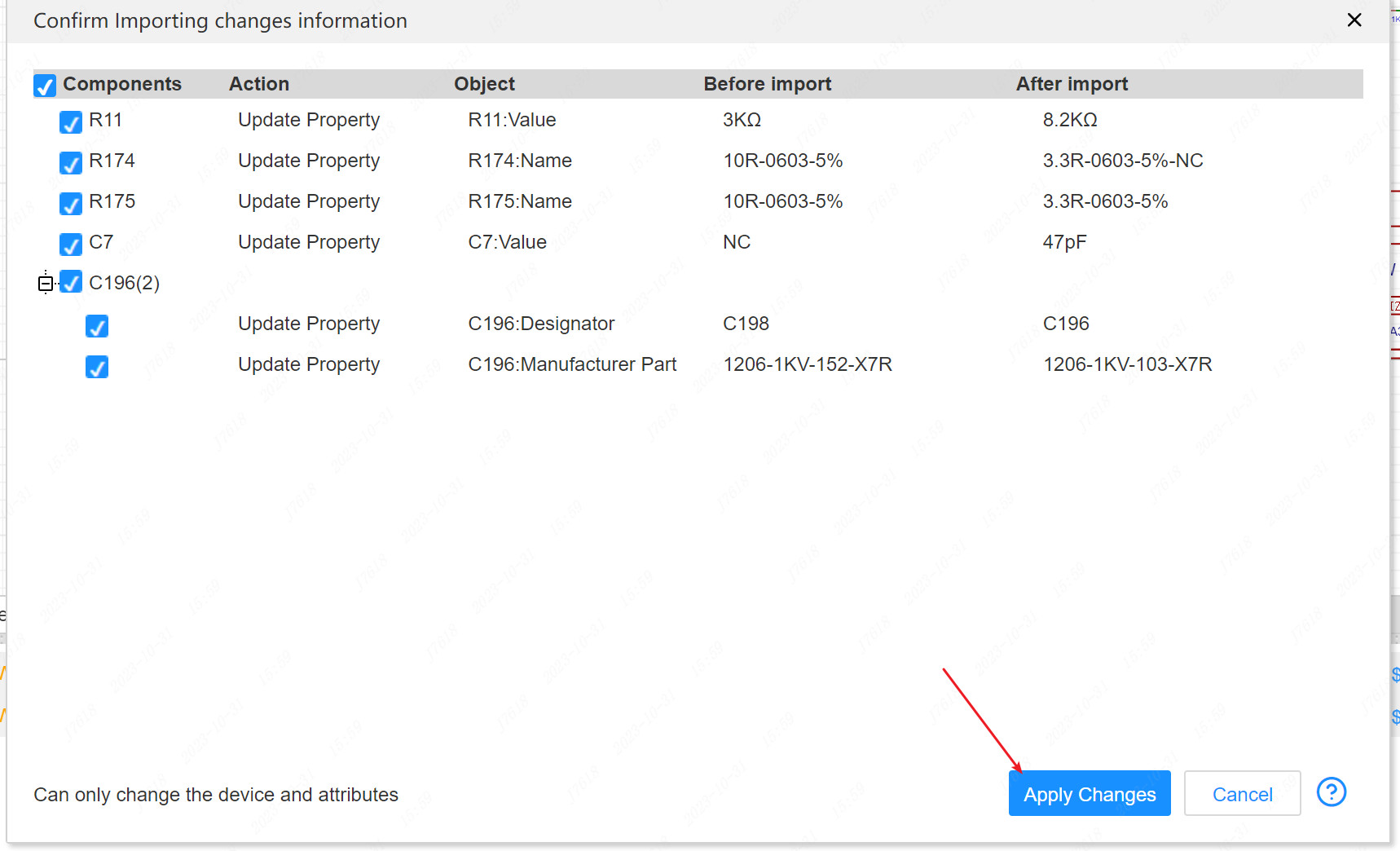
The modification of the component attribute will appear in the pop -up information pop -up window that pops up
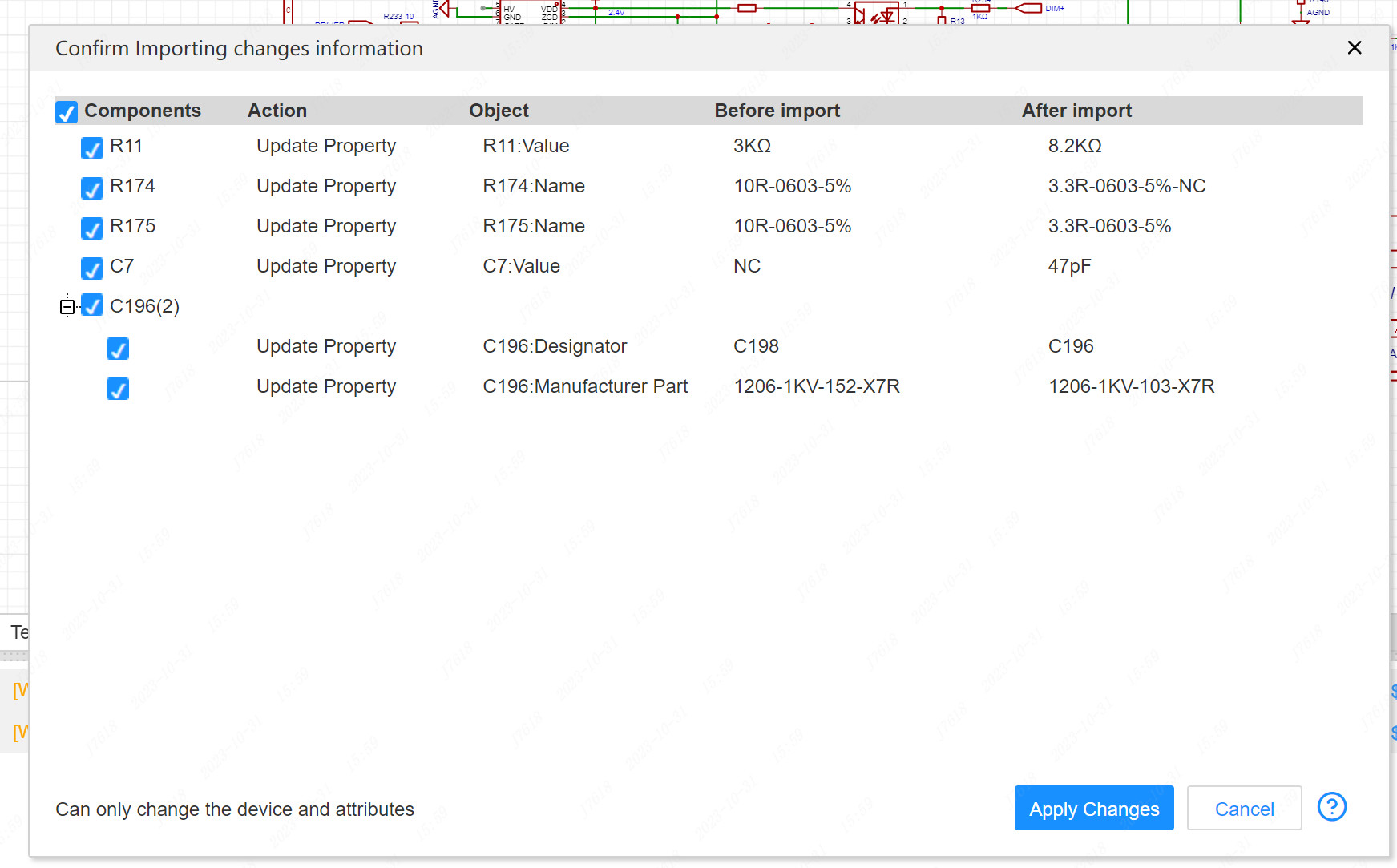
Apply Changes
Check and check items that need to be modified, click on the application modification, and the corresponding attribute will be updated to the principle diagram