

V3.0.x Update Notes
Public
Supports automatic canvas panning when moving elements/components near the canvas edge.
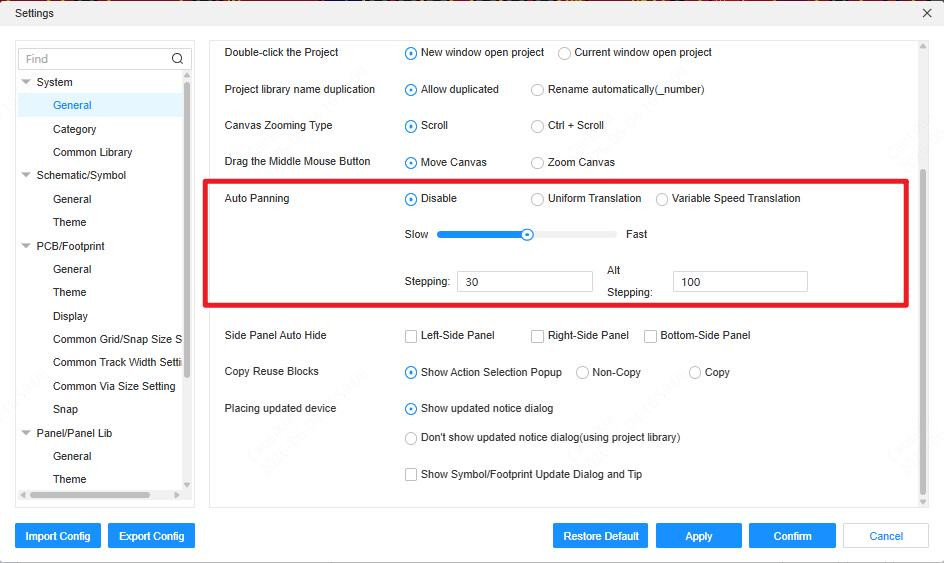
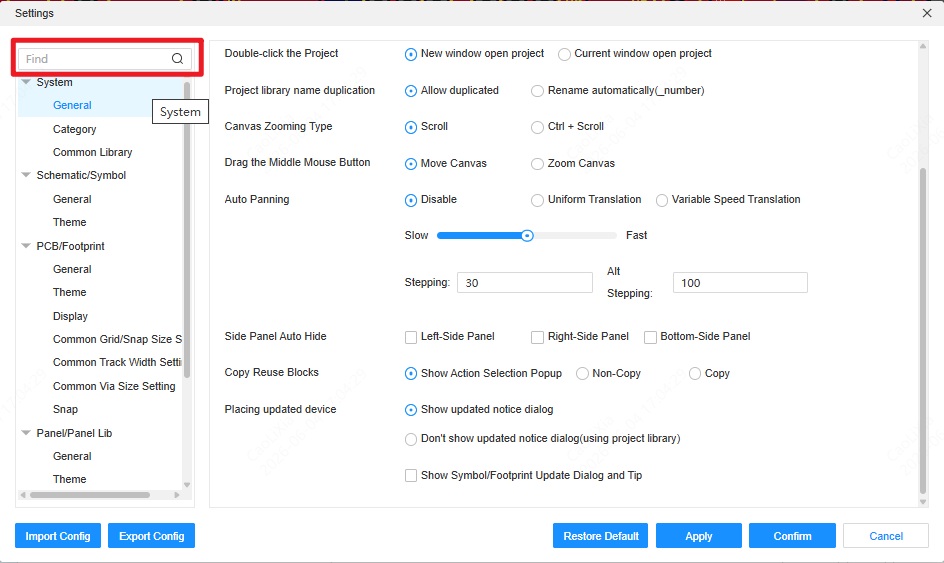
Supports pop-up window search in settings.
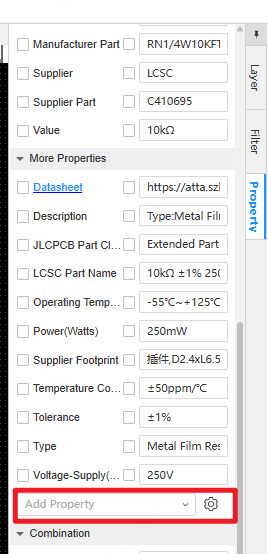
Supports opening property settings on the right side of custom properties.
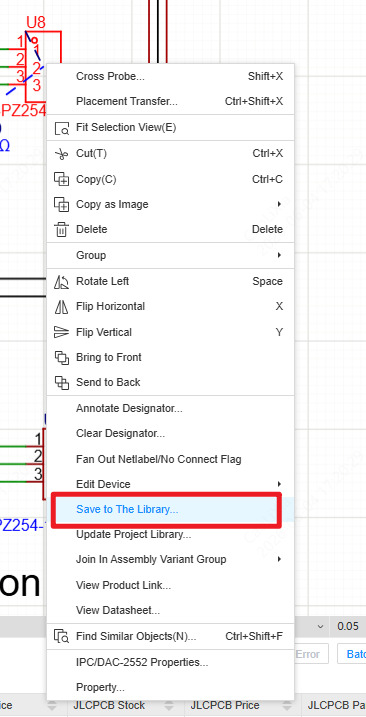
Supports quickly saving components to the library from the canvas. (Right-click the component on the canvas -> Save to The Library...)
Supports duplicate names for reuse module symbols within the project library.
Supports importing images up to 50MB.
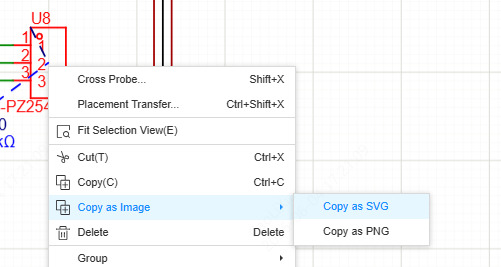
Supports copying the circuit as an image. (Box-select components on the canvas -> Right-click -> Copy as Image)
Supports using arrow keys for operations, and Ctrl/Shift keys for multiple selections in the bottom panel.
Supports viewing component placement and search history via the drop-down menu.

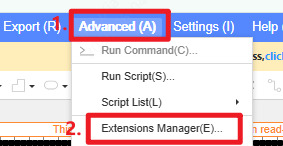
New Extension Manager. (Top Menu Bar -> Advanced -> Extension Manager)
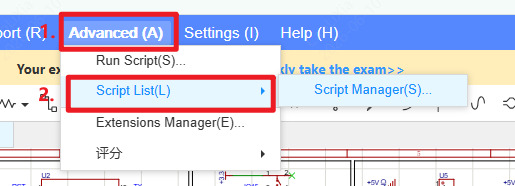
New Script Manager. (Top Menu Bar -> Advanced -> Script List -> Script Manager)
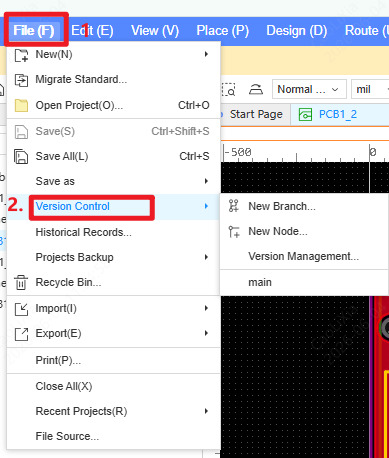
Built-in version management features, supporting switching between project version branches. (Top Menu Bar -> File -> Version Control)
New real-time multi-user collaboration feature. Allows multiple users in a workspace to open the same project and edit the same document simultaneously.
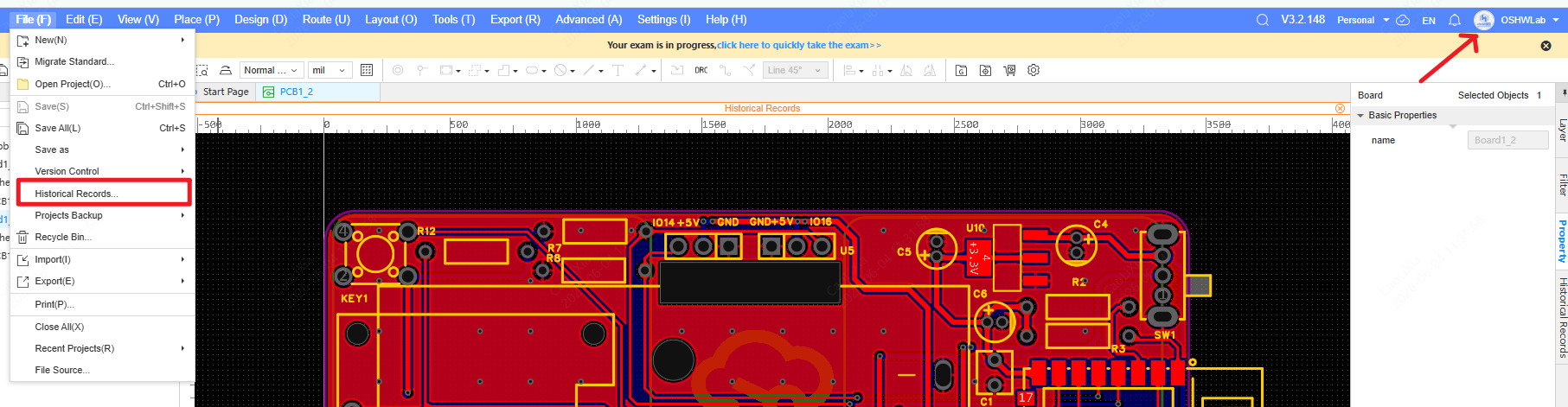
Supports history records and rollbacks for projects and documents. (Top Menu Bar -> File -> Historical Records, or click the cloud sync icon in the top right corner)
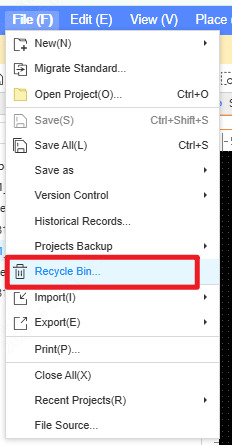
New project and library Recycle Bin feature. (Top Menu Bar -> File -> Recycle Bin)
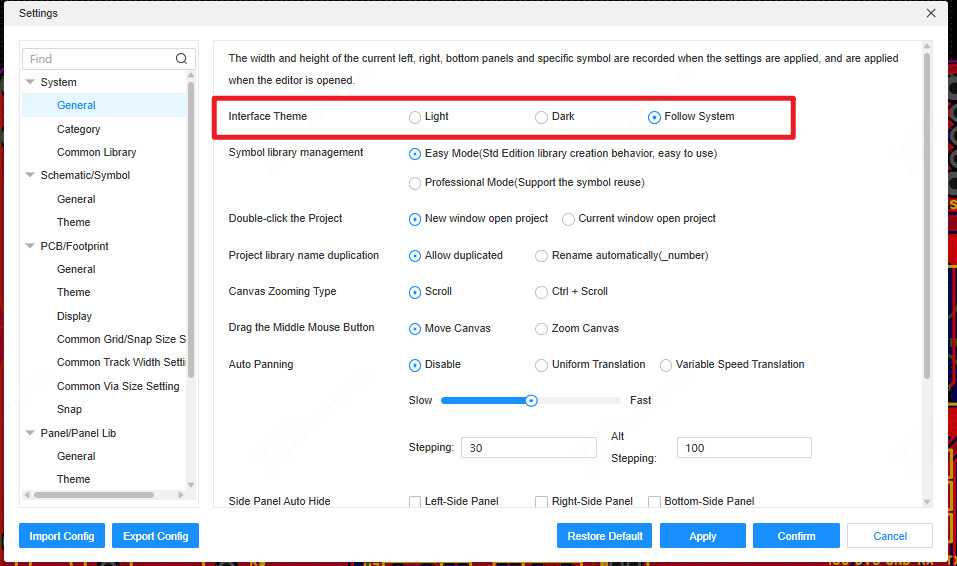
New Dark Mode feature to optimize visual experience. (Top Menu Bar -> Settings -> System -> General)
Brand new project archiving format: .epro2. (Top Menu -> File -> Save As -> Save As Project to Local)
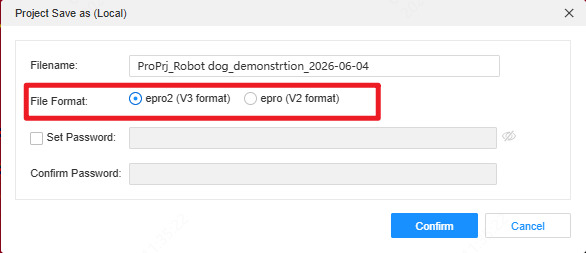
Supports exporting files in V2.2 format (.epro and .elibz).
Supports exporting in T/DISA 4001-2025 format.
Added a cursor status bar at the bottom of the canvas, supporting custom zoom ratios.
Added more API interfaces.
Optimized automatic designator assignment.
Added a prompt for automatic compression when importing images.
Adjusted drill symbols; size and thickness increased to 1.4 times.
Supports original bus import during format conversion, removing name restrictions.
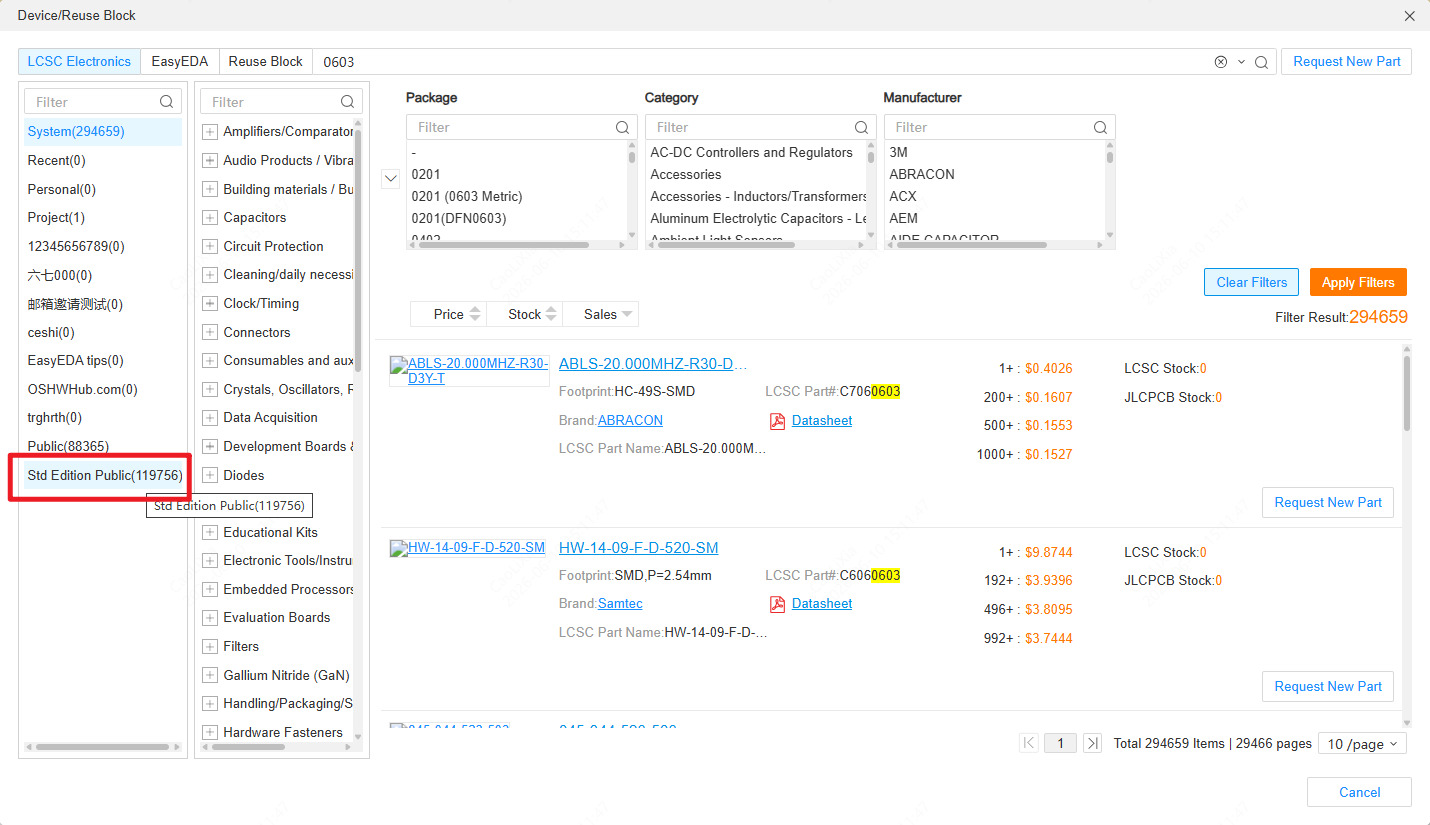
Supports searching and placing public libraries from the Standard Edition, which only displays when searching for components.
Schematic
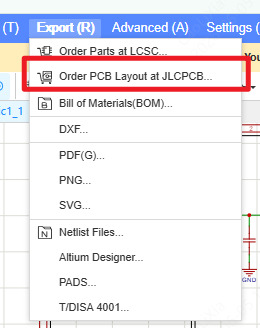
One-click ordering for Schematic Layout.
Supports using shortcuts to directly paste images from the clipboard to the canvas (via drag-and-drop or Ctrl+V).
Supports using colors to distinguish between different DRC rule levels.
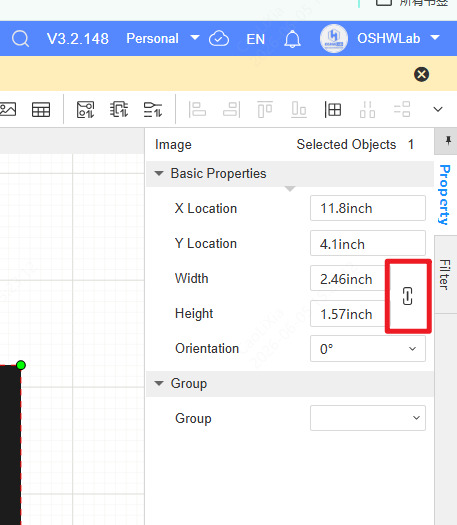
Supports setting proportional aspect ratios for images and rectangles.
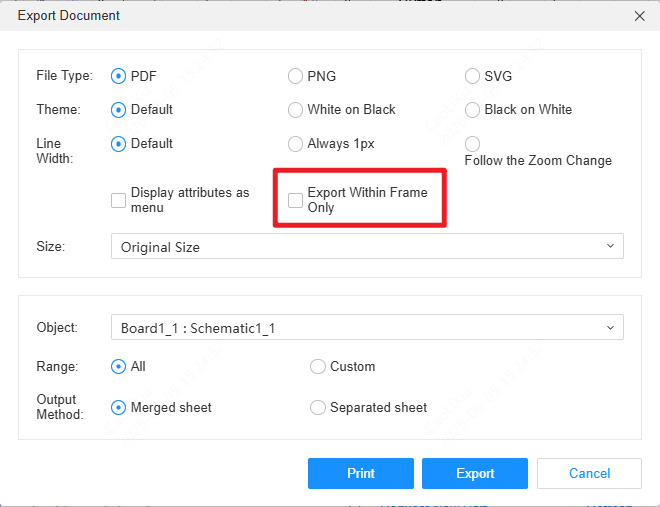
Supports exporting only the area inside the drawing frame when exporting to PDF.
Supports moving schematic sheets freely (via dragging sheets in the left project list).
Supports pressing Ctrl + double left-clicking on an instance page to return to the upper level.
Brand new schematic display engine, supporting smooth operation even with over 5,000 components on a single page.
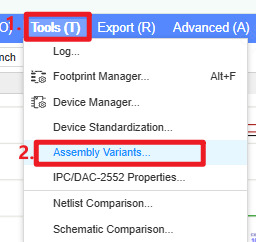
New feature to configure assembly variants. (Schematic -> Top Menu Bar -> Tools -> Assembly Variants)
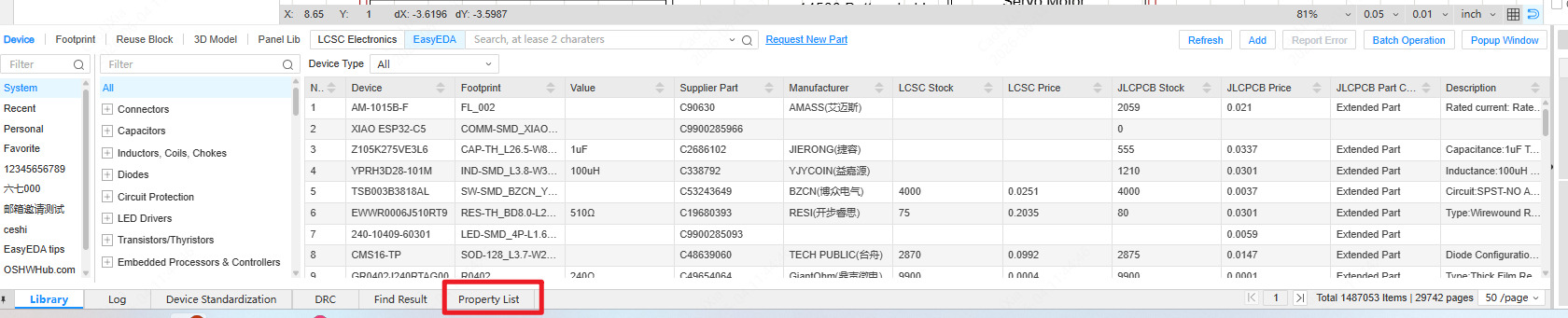
New bottom property list feature. (Bottom Panel -> Property List)
Supports adding multiple net labels to a single wire.
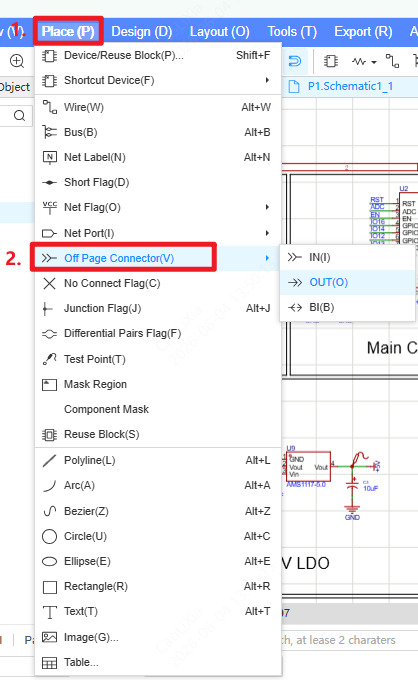
New off-sheet connector element. (Top Menu Bar -> Place -> Off-Sheet Connector)
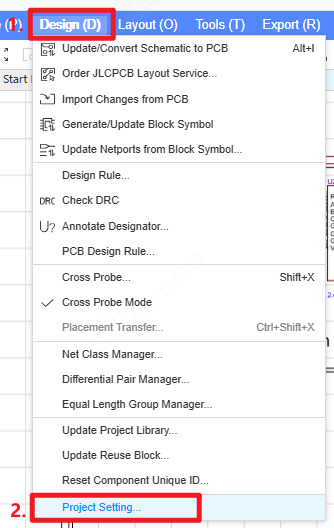
Supports setting the connection scope for net labels and net ports. (Top Menu -> Design -> Project Setting)
Supports setting PCB design rules within the schematic. (Top Menu Bar -> Design -> PCB Design Rule)
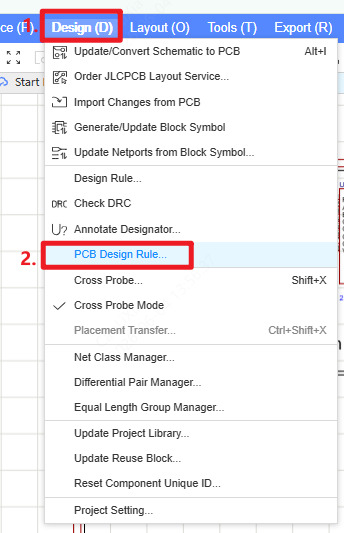
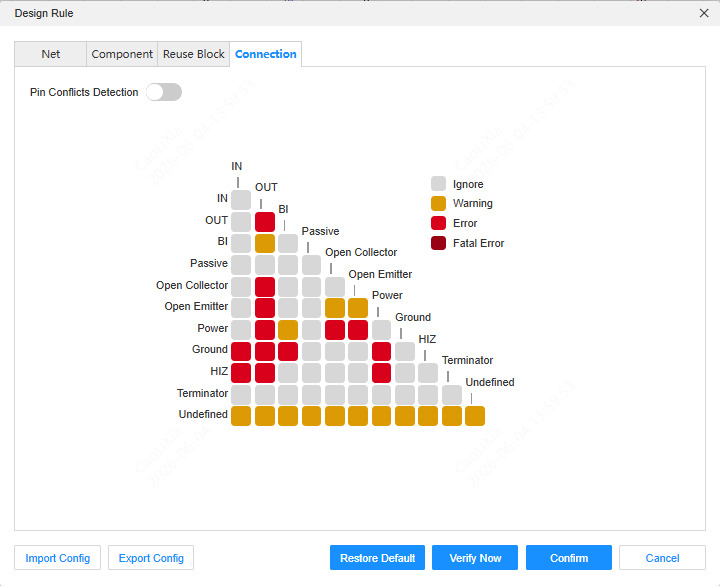
Design rules support checking pin types and net types. (Top Menu -> Design -> Design Rule)
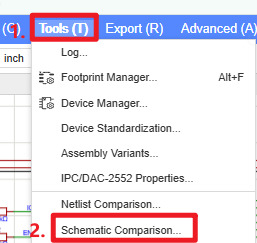
New schematic comparison feature. (Top Menu Bar -> Tools -> Schematic Comparison)
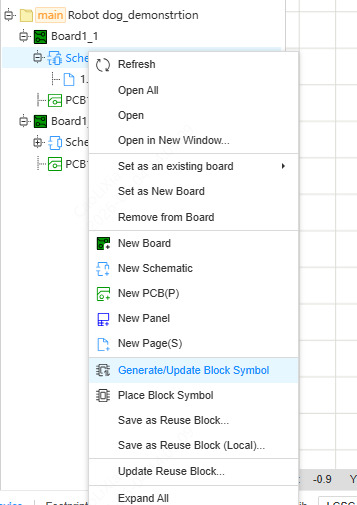
Reuse blocks support automatic designator allocation.
Reuse blocks support update synchronization. (Left Design Tree -> Reuse Block Title -> Right-click Menu -> Update Reuse Block)
PCB
Real-time component clearance hints during movement. (Settings -> PCB/Footprint -> DRC Error Style -> Display Component Clearance) 设置 - PCB/封装 - DRC错误样式 - 显示元件间距
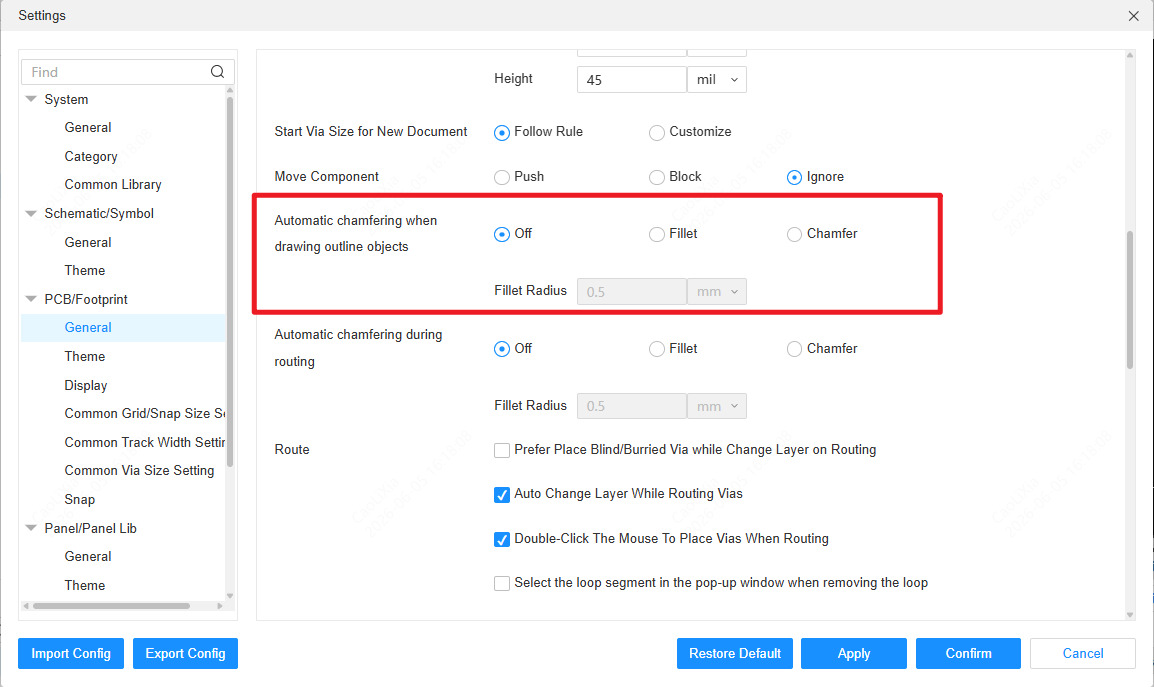
Supports auto chamfer for copper pours or planes in PCB settings. (Settings -> PCB/Footprint -> Auto Chamfer When Drawing Outline Objects)
Supports exporting ODB++ files with the extension .tgz.
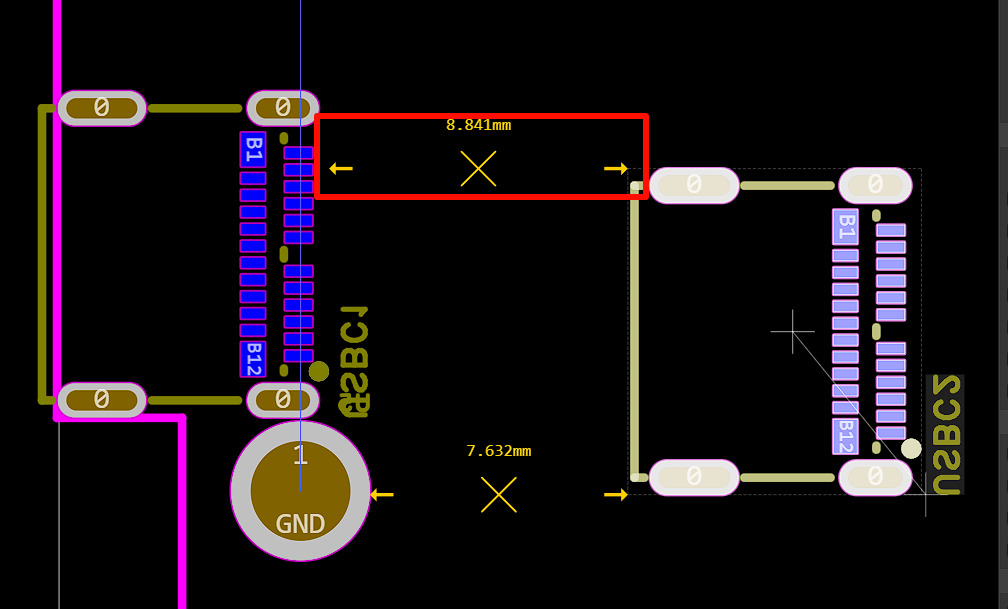
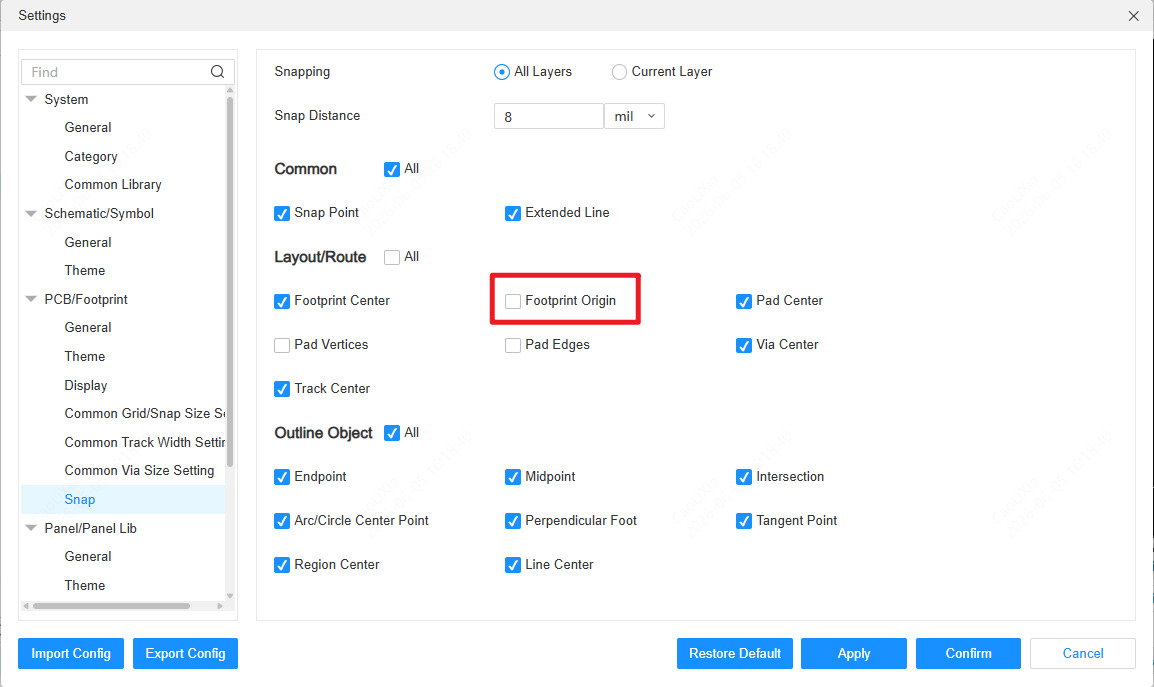
Supports snapping to pad edges. (Settings -> PCB/Footprint -> Snapping -> Footprint Origin)
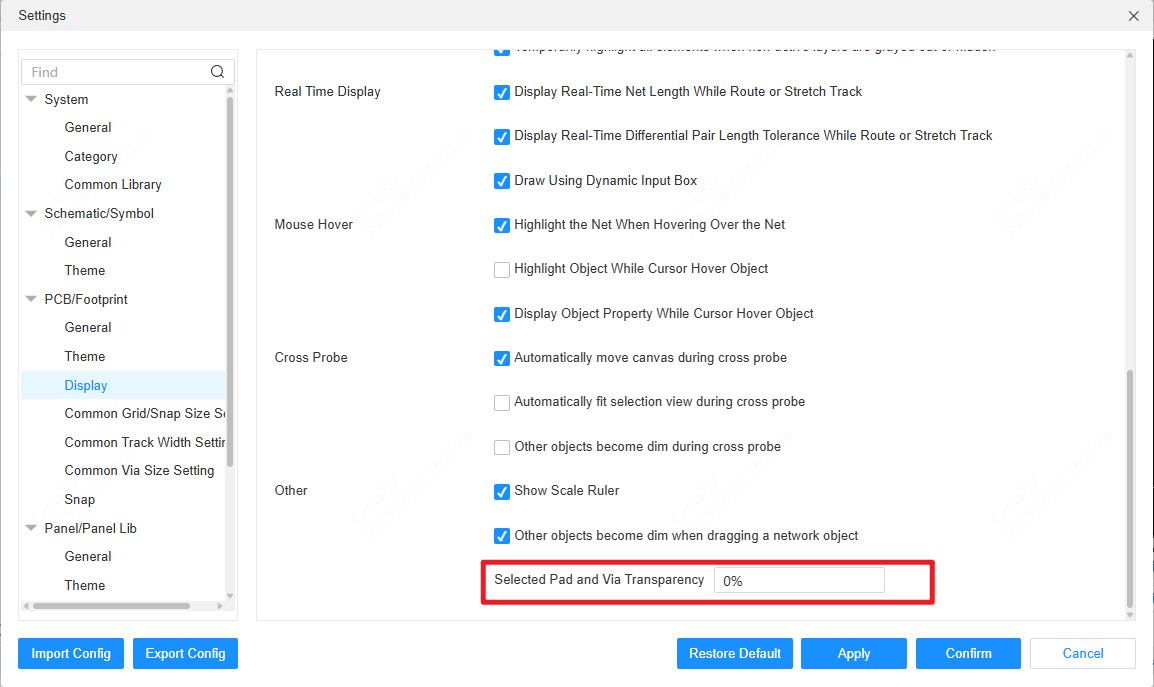
Supports setting the selection opacity for pads and vias. (Settings -> PCB/Footprint -> Display -> Other -> Selectef Pad and Via Transparency)
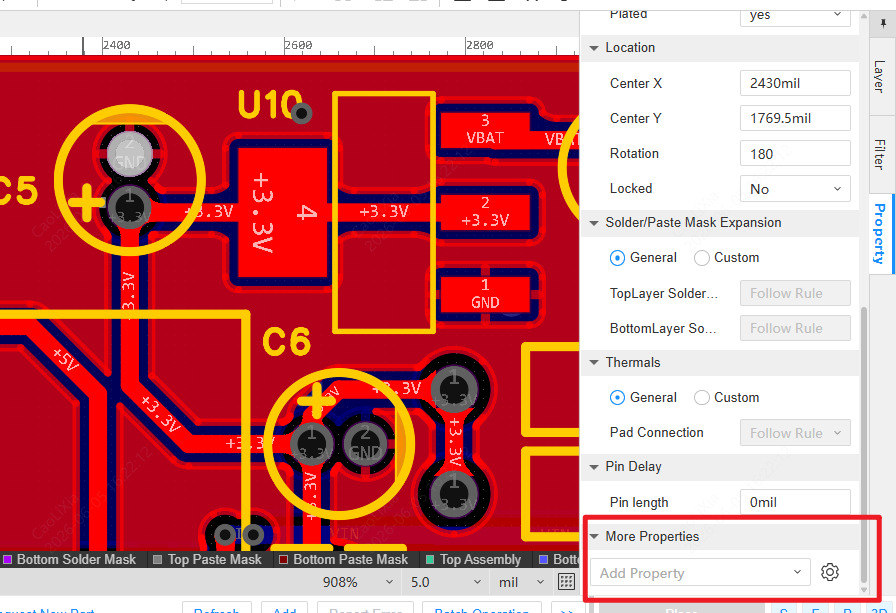
Supports adding custom properties to footprints and pads.
Supports FPC stiffener avoiding vias and pads.
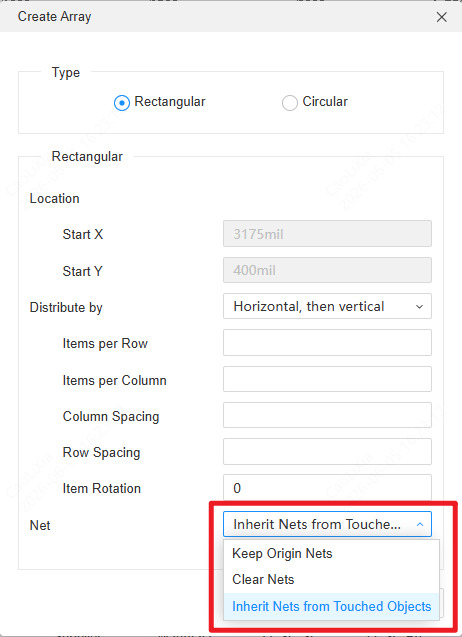
Supports retaining the original net when copying and arraying components.
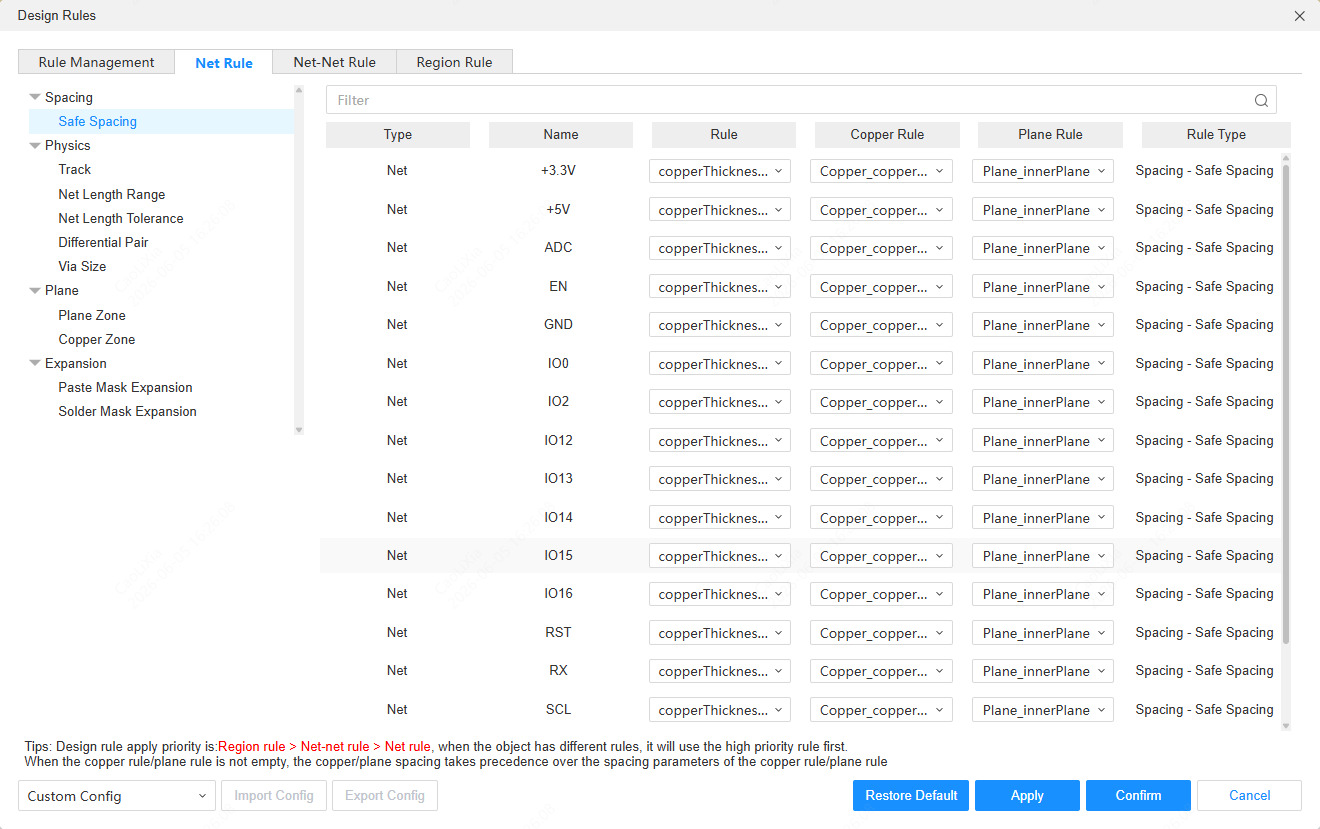
Supports clearance rules applying to both net classes and length-matched net groups simultaneously. (Design -> Design Rules... -> Net Rule)
Supports exporting 3D files based on board color.
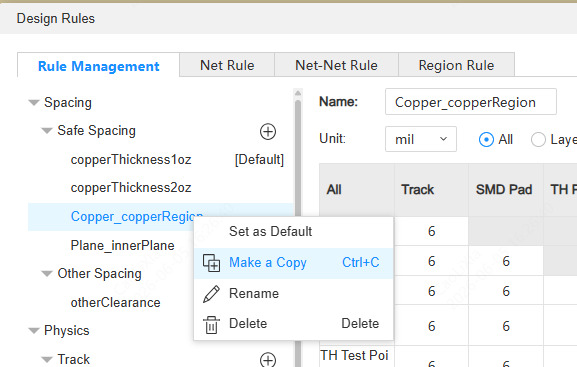
Supports copying design rules. (Right-click Rule Name)
Supports selecting a single edge line of a rectangle.
Supports different colors for the inside and outside of the board outline.
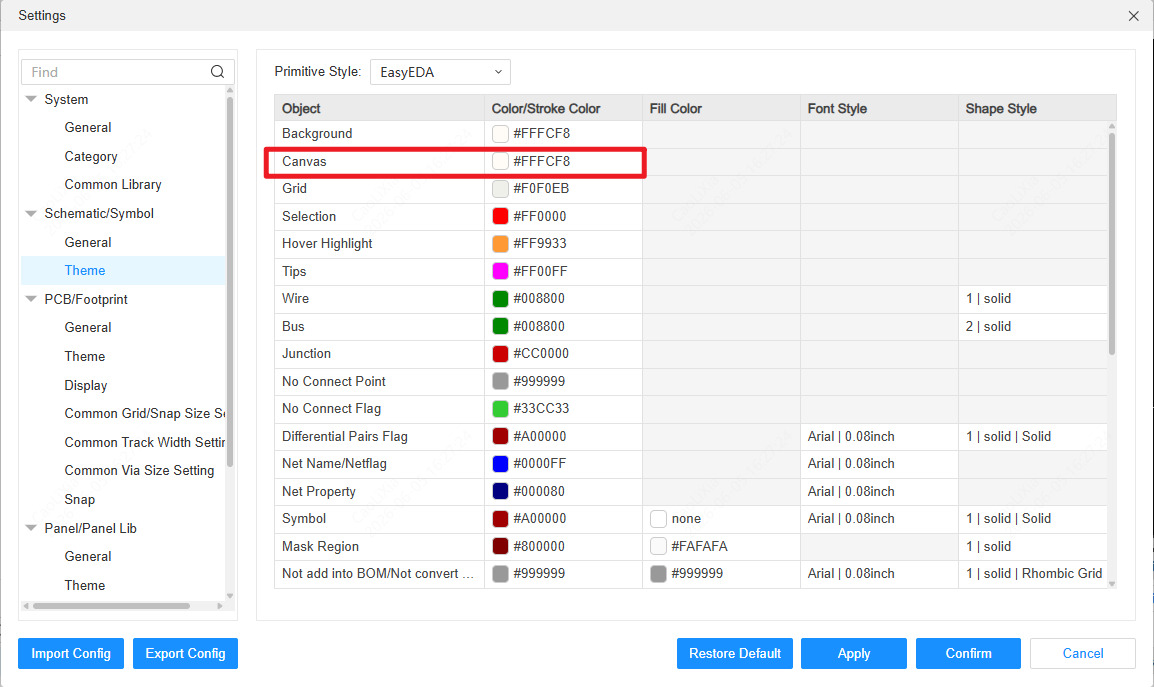
Supports setting custom colors for the canvas and primitives. (Settings -> Theme)
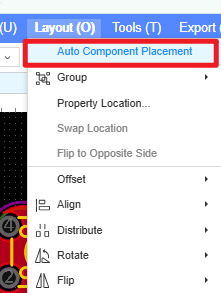
Brand new auto layout feature. (Top Menu -> Layout -> Auto Component Placement)
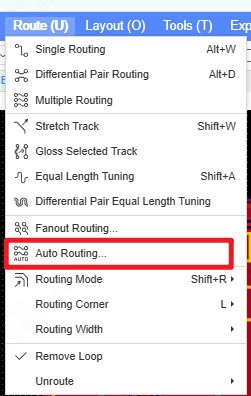
Brand new auto routing with dual engines, supporting auto routing for length-matched and differential pairs. (Top Menu -> Route -> Auto Routing..., switch effect priority to toggle different routing engines)
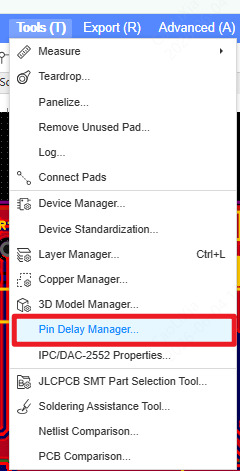
Supports editing pin length in the pad editor. (PCB -> Top Menu Bar -> Tools -> Pin Delay Manager)
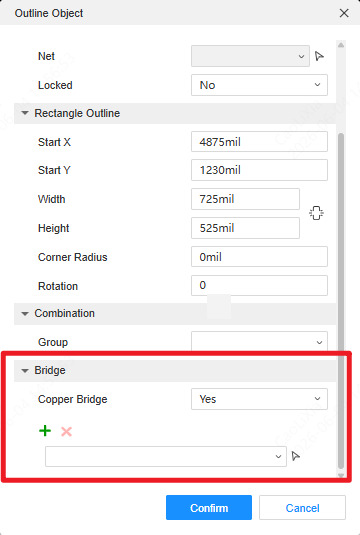
Supports short-circuit operations for nets with different names. (Solid Region -> Outline Object -> Bridge)
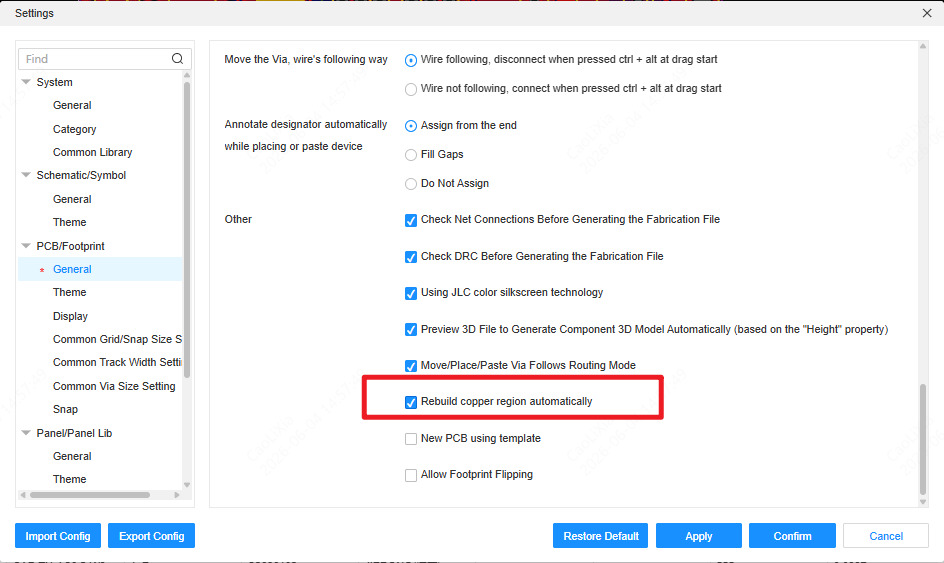
Supports dynamic rebuilding of copper pours. (Top Menu Bar -> Settings -> PCB/Footprint -> General -> Rebuild Copper Region automatically)
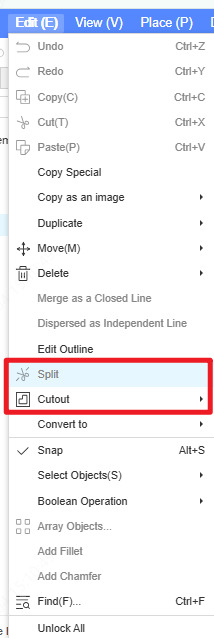
New copper pour crop and cutout feature. (PCB -> Top Menu Bar -> Edit -> Split/Cutout)
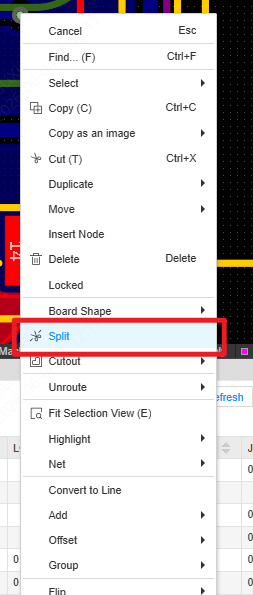
Supports track cropping. (Top Menu -> Edit -> Split, Track Right-click Menu -> Split)
Supports setting net rules by different layers.
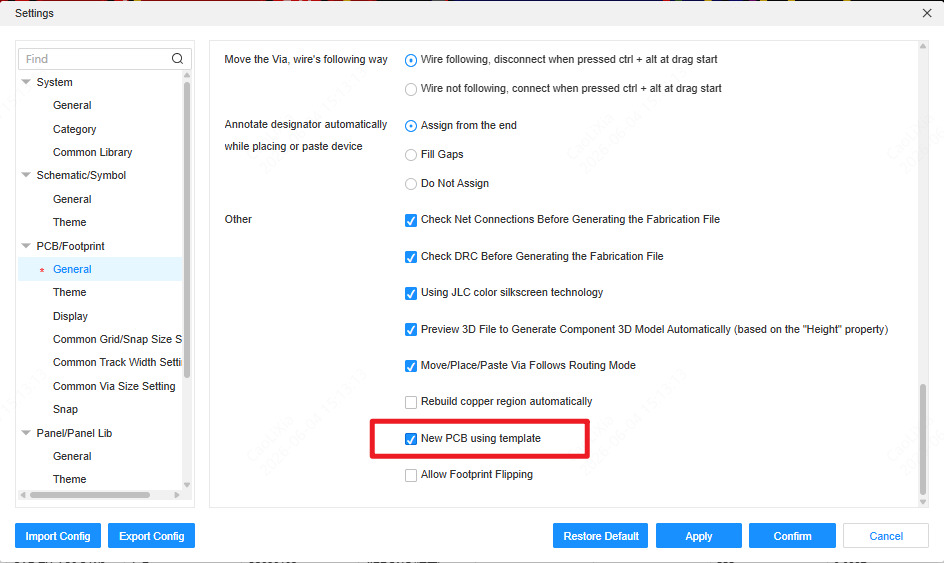
Supports creating a new PCB using a template file. (Top Menu Bar -> Settings -> PCB/Footprint -> New PCB using template)
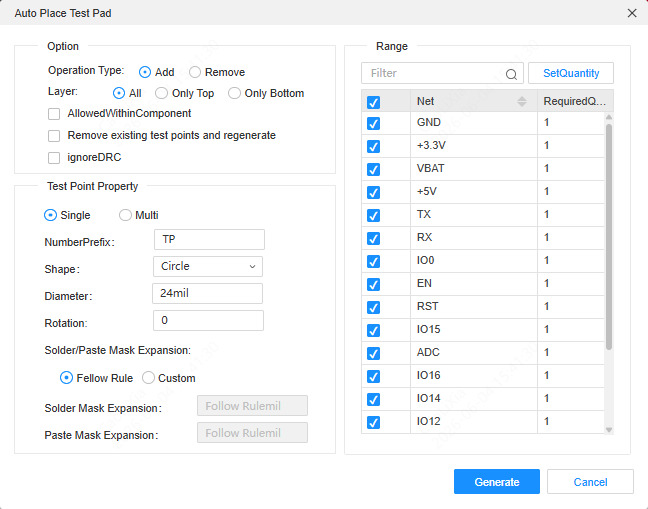
Supports automatically adding test points. (Top Menu Bar -> Place -> Test Point -> Auto)
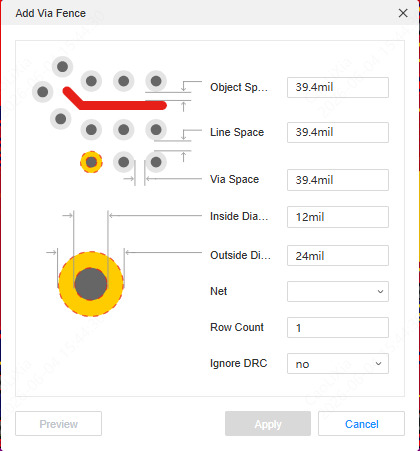
Supports placing via fence. (Top Menu Bar -> Place -> Add Via Fence)
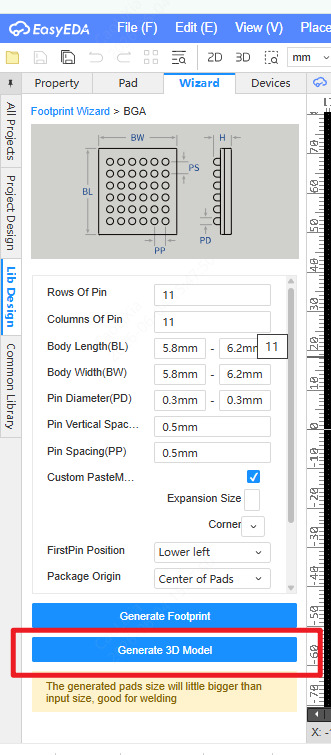
The footprint wizard supports creating 3D model libraries. (Footprint Editor -> Left Panel -> Library Design -> Wizard -> Generate 3D Model)
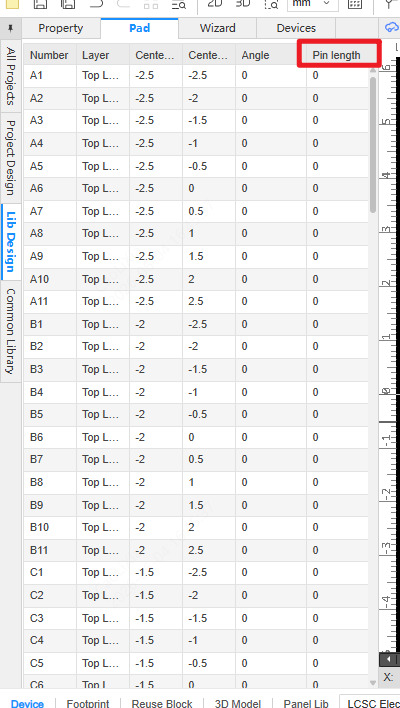
Supports setting pad footprint length. (Footprint Editor -> Left Library Design -> Pad -> Pin Length)
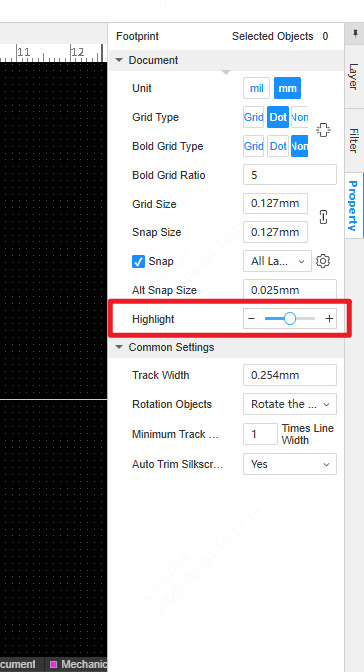
Supports a new highlight mode. (Canvas -> Right Property Panel -> Highlight)
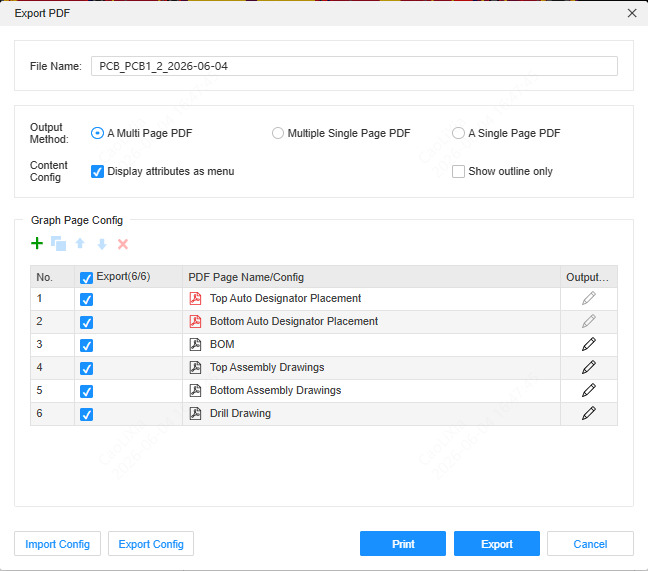
Supports exporting PDF with added assembly drawings and BOM features.
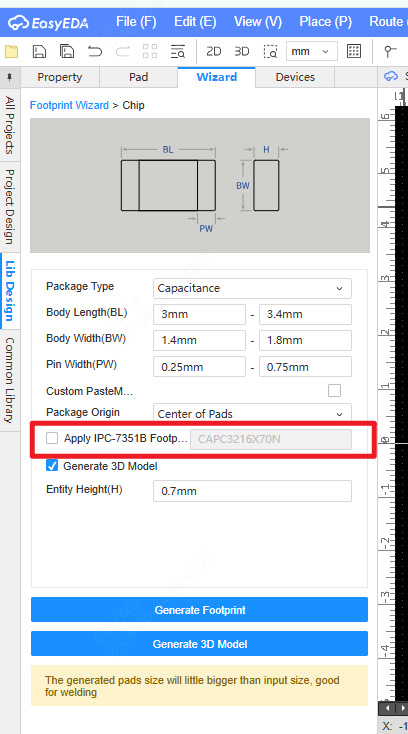
creating footprints named based on the IPC-7351B standard. (Left Panel -> Library Design -> Wizard -> Check "Apply IPC-7351B Footprint Name")
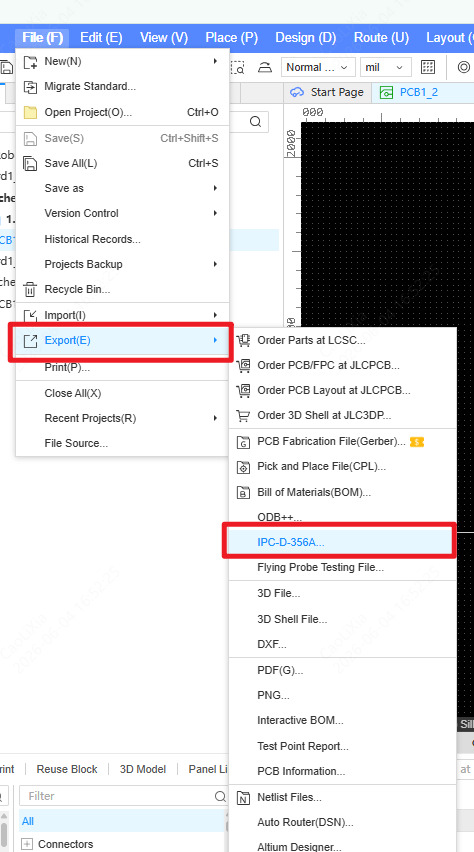
Supports exporting IPC-D-356A format files.
Memory optimization improved, ratline performance enhanced.
Others
- Removed cache recovery feature, replaced by document history.
- Optimized format conversion performance.
- Optimized memory footprint.